Short answer: automated lead follow-up is the part of your business that replies to every new inquiry within seconds, collects the two or three facts you need, offers an obvious next step, and gets a human involved at the right moment. It is not a newsletter and it is not a robot pretending to be you. Done well, it simply means nobody who raised their hand waits until tomorrow to hear back.
This guide is the hub for our lead follow-up cluster. It covers the design principles, the building blocks, the order to build them in, and the mistakes we see most often. Each section links to a deeper article for a specific industry or problem.
Why follow-up breaks in small businesses
Most owners do not have a lead generation problem as much as a lead handling problem. The leads arrive; the handling depends on who happens to be free.
A typical week looks like this:
- A form fill comes in at 7:40 pm and sits in a shared inbox until someone opens it the next morning.
- A caller hits voicemail while the office manager is on another line, and never leaves a message.
- A web chat visitor asks a pricing question on Sunday and gets nothing.
- A quote goes out, the customer goes quiet, and nobody follows up because nobody owns that step.
None of those are skill problems. They are routing problems: the inquiry arrived somewhere that no one was watching. Automation fixes routing very well. It does not get tired, it does not forget, and it works at 7:40 pm.
The five building blocks
Every follow-up system we build, from a two-truck plumbing shop to a multi-attorney practice, is made of the same five blocks. You can add them one at a time.
1. Capture: one front door for every channel
Calls, missed calls, web forms, Facebook or Google lead forms, chat and texts all need to land in one place with the same fields. That place is usually your CRM or job-management software. If leads live in four inboxes, no automation can see them all.
Practical test: can you open one screen and see every inquiry from the last seven days, with its source? If not, start here.
2. Instant acknowledgment
The first reply should go out in seconds and say three things: we got it, here is what happens next, and here is the fastest way to move forward (a booking link, a few quick questions, or "reply YES for a call back").
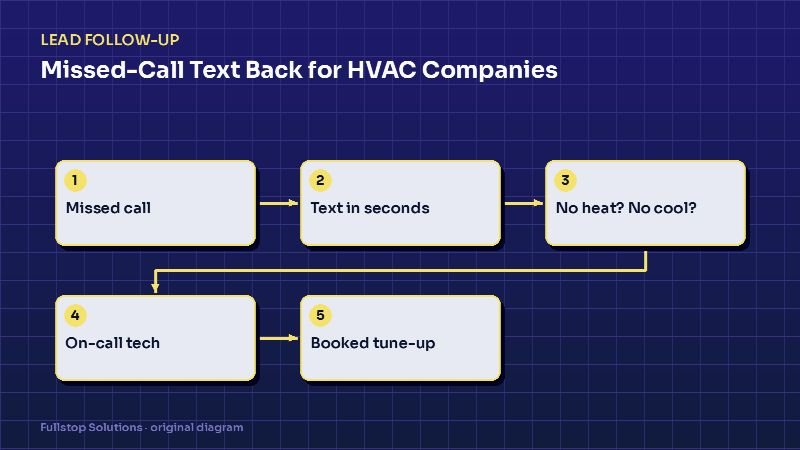
For a missed call, that is a text-back. For a form, it is a text and an email. For a chat, it is the chat itself. Read our missed-call text back guide for HVAC for a worked example.
3. Qualification
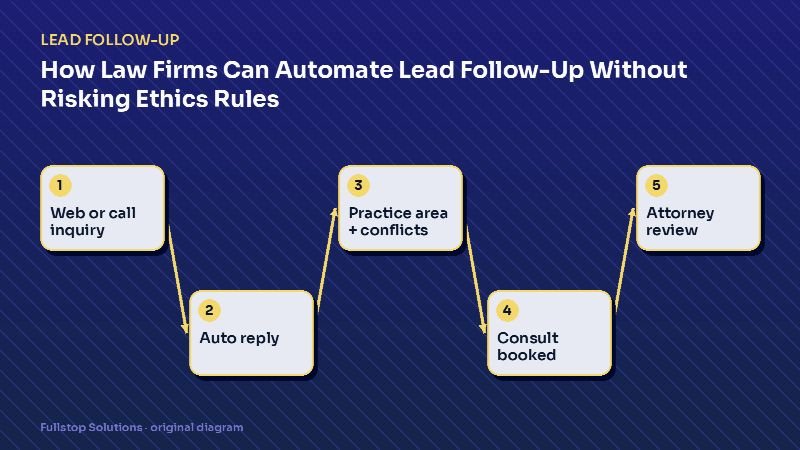
Ask only what you need to decide what happens next. For a home-service company that is usually service type, address or ZIP, and urgency. For a law firm it is practice area, jurisdiction and a conflict-check name. Every extra question costs replies, so be ruthless.
Good qualification is branching: an emergency gets routed to the on-call phone; a routine request gets a booking link; an out-of-area request gets a polite referral.
4. Booking or hand-off
The best next step is a confirmed appointment. The second best is a scheduled call-back with a named person. "Someone will reach out" is the weakest, because it re-creates the original problem.
Connect a booking link to the real calendar (or dispatch board), and set rules for buffer times and service areas so the automation cannot book something you cannot deliver.
5. Nurture and re-engagement
Not everyone is ready this week. A short, spaced sequence (for example day 1, day 3, day 7, then monthly) keeps you present without nagging. It must stop the moment someone replies, books or opts out. Our mortgage loan officer nurture guide shows a long-cycle version.
The right build order
If you try to build everything at once, you will build nothing. This order delivers value at each step:
- Unify capture. Route every channel into one list.
- Missed-call text back. It is usually the fastest win, because calls are often the highest-intent leads.
- Form and chat auto-replies with a booking link.
- Owner alerts. A text or app notification to the right person when a qualified lead arrives.
- Quote follow-up. Automatic check-ins after an estimate is sent.
- Long-term nurture and reactivation of old leads.
Steps 1 to 4 are often a few days of setup. Steps 5 and 6 depend on how clean your data is.
What to measure
You cannot improve what you do not measure, and you should not believe anyone (including us) who promises a specific result before seeing your numbers. Track these four:
| Metric | How to measure it | Why it matters |
|---|---|---|
| Time to first response | Timestamp of first reply minus inquiry time | The core thing automation changes |
| Contact rate | Leads with a two-way conversation ÷ all leads | Shows whether replies land |
| Booking rate | Leads with an appointment ÷ all leads | The outcome you care about |
| Leak points | Leads with no next step after 48 hours | Shows where the system fails |
Measure a baseline for two to four weeks before you change anything. Then compare the same weeks after.
Texting and email rules you cannot ignore
Automated messages are covered by US law. This is not legal advice, but the basics are well documented:
- The FCC's consumer guide explains that autodialed texts to mobile numbers need the recipient's prior consent, commercial texts need written consent, and people may opt out "in any reasonable manner".
- The FTC's CAN-SPAM guide requires accurate headers, a non-deceptive subject line, a physical postal address and a working opt-out in commercial email, with opt-outs honored within 10 business days.
In practice: put clear consent language on every form, keep a record of it, include "Reply STOP to opt out" in texts, and make sure your system actually stops. Our texting compliance article goes deeper.
Common mistakes
Pretending the bot is a person. Customers forgive automation; they do not forgive being misled. Sign messages with your business name and offer a human.
Asking too many questions up front. Collect the minimum to route the lead. Get the rest on the call.
Sequences that ignore replies. Nothing destroys trust faster than "Just following up!" after someone already said "booked, thanks".
No owner for the hand-off. Automation should end with a named person or a calendar slot, never a void.
Building on messy data. If half your contacts have no phone number or the wrong lead source, fix that before you automate anything that depends on it.
How this fits with your other systems
Lead follow-up sits at the front of your business, but it touches everything behind it: scheduling, dispatch, quoting, invoicing and reviews. When we scope lead intake and follow-up automation, we always check the next system in line, because a booked appointment that never reaches the technician's schedule is not a win.
If phones are your biggest leak, read the AI receptionist guide. If the problem is what happens after the job, start with review request automation.
Where to go next in this cluster
- Missed-call text back for HVAC companies
- How law firms can automate lead follow-up
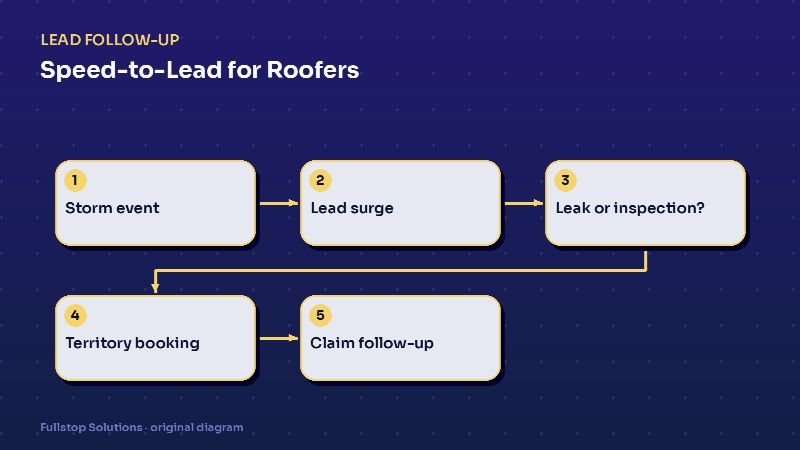
- Speed-to-lead for roofers during storm season
- Web form to CRM automation for real estate teams
- Insurance quote follow-up automation
Each one applies the five building blocks above to a specific business, with the questions, routing rules and pitfalls that matter there.