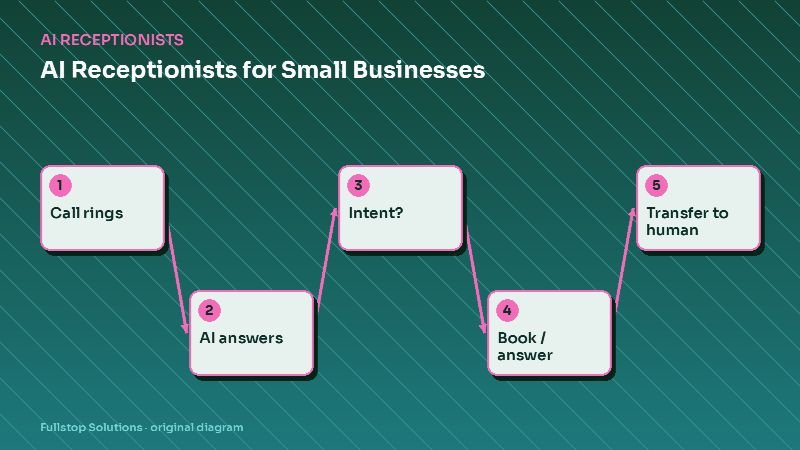
Short answer: an AI receptionist answers your phone with a natural voice, understands why the caller is calling, answers routine questions from information you approve, books or reschedules appointments in your real calendar, and transfers urgent or complex calls to a person. It works best as overflow and after-hours coverage, with clear rules about what it may say and a fast path to a human.
This is the hub of our AI receptionist cluster. Each section links to deeper articles for specific industries and decisions.
How an AI receptionist works
Under the hood, a modern AI receptionist chains a few components:
- Telephony: your business number forwards to the AI on rules you choose (always, after hours, after a few rings, or when lines are busy).
- Speech recognition: the caller's speech is transcribed in real time.
- Language understanding: a language model, constrained by your instructions and knowledge base, works out what the caller wants and what to say next.
- Actions: integrations let it check availability, create bookings, look up an order status, or send a text with a link.
- Speech synthesis: the reply is spoken back in a natural voice.
- Hand-off: when rules say so, it transfers the call or takes a detailed message and alerts the right person.
The quality of the experience depends less on the voice and more on two things you control: the knowledge it is allowed to use, and the rules for when it must hand off.
What AI receptionists handle well
- Hours, location, parking, services offered. Repetitive questions with stable answers.
- Booking, rescheduling and cancelling within rules you set.
- Intake questions before a callback: name, reason for call, account or job number, urgency.
- After-hours triage: emergency versus routine, with paging for emergencies.
- Status lookups when the data lives in a system it can query.
- Sending links by text: booking pages, intake forms, payment links, directions.
Where they need a human
- Upset or distressed callers. Empathy and judgment matter more than speed.
- Clinical, legal or financial questions. These require licensed professionals.
- Price negotiation and complex quotes. Unless you have clear, approved pricing.
- Unusual requests that fall outside the knowledge base.
- Anyone who asks for a person. This should always work, quickly.
Choosing your call-routing mode
| Mode | How it works | Good for |
|---|---|---|
| After-hours only | AI answers when the office is closed | Testing the waters; emergency triage |
| Overflow | Calls ring staff first, AI picks up after N rings or when lines are busy | Busy front desks |
| AI-first with transfer | AI answers every call and transfers when needed | High call volume of routine requests |
Most businesses start with after-hours or overflow, review recordings for a few weeks, then decide whether to expand.
Writing the rules
Before launch, write down:
- Greeting and disclosure. Name the business and say the caller is speaking with an automated assistant.
- Approved answers. Hours, services, policies, service area, what to bring.
- Booking rules. Appointment types, durations, buffers, who can be booked for what.
- Hand-off triggers. Emergencies, specific keywords, VIP callers, repeated confusion, any request for a human.
- Forbidden topics. Advice, unapproved prices, guarantees, anything about other customers.
- Message format. What a callback message must include, and who receives it.
Our AI receptionist script checklist walks through this in detail.
Integrations that matter
The AI is only as useful as the systems it can reach. Typical connections:
- Scheduling: practice management for dental and medical, field-service platforms for trades, shop management for auto repair, booking tools for salons.
- CRM: to log the call, create a lead and attach the transcript.
- Messaging: to send a text with a link during or after the call.
- On-call schedules: to page the right person after hours.
If a system has no API, the fallback is a detailed message to staff and a callback, which is still better than voicemail.
Rules and disclosures
Inbound calls (people calling you) are different from outbound calls. If you plan to use AI voice for outbound calling, note that the FCC states AI-generated voice calls are illegal unless the consumer has agreed to receive them or the caller is exempt. Call recording consent rules also vary by state; some require all parties to consent, so a recording notice in the greeting is a safe default. Ask your counsel about the states you serve.
For healthcare, the AI vendor may handle protected health information; see our HIPAA and automation guide.
Rolling one out in four weeks
- Week 1: scope. Pull a batch of recent calls, list the top reasons people call, decide the routing mode, and write the rules.
- Week 2: build and test. Connect the calendar and CRM, load the approved answers, and run test calls covering every hand-off trigger.
- Week 3: soft launch. After-hours only. Review every transcript daily and fix gaps.
- Week 4: expand. Add overflow, tune answers, and set a weekly transcript review.
How to judge success
Use your own numbers:
- calls answered (live or AI) as a share of all calls,
- appointments booked by the AI,
- transfers and their reasons,
- complaints or "I want a person" requests,
- callbacks completed on time.
Listen to a handful of calls every week. The transcripts will tell you exactly what to improve.
A first-week launch plan
Day one, run the receptionist only after hours. Review every call the next morning. Fix answers and routing. By the end of the week, extend to lunch and overflow, keeping daily reviews until problems are rare.
Go deeper in this cluster
- AI receptionist vs. answering service: which is right for you?
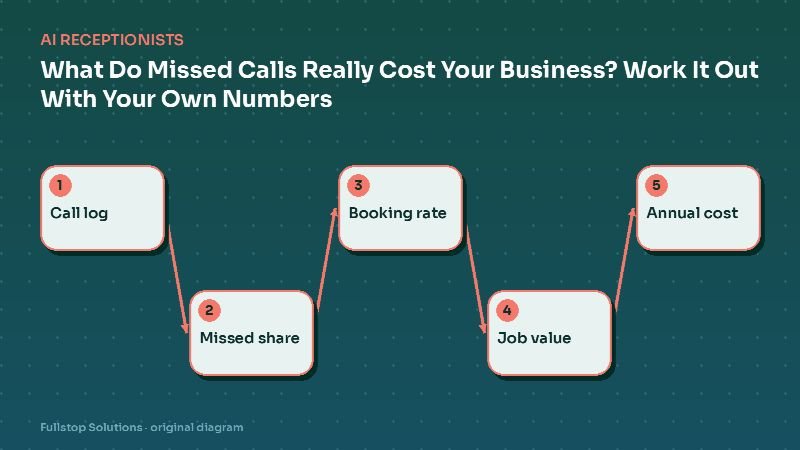
- What missed calls really cost: a calculator with your numbers
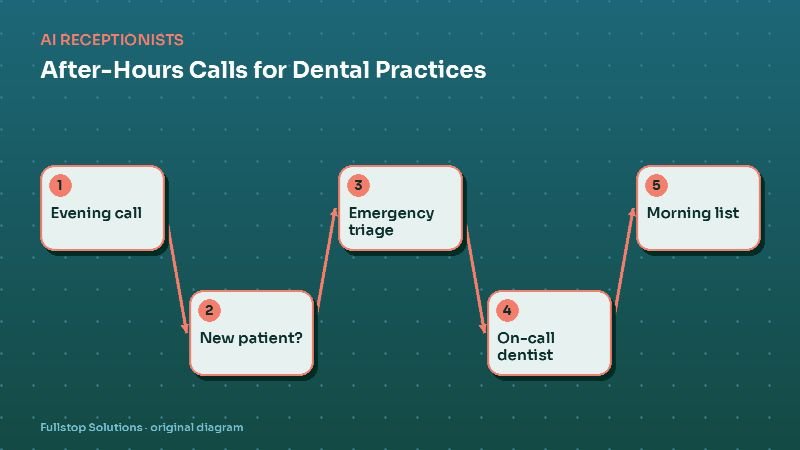
- After-hours call handling for dental practices
- AI phone answering for auto repair shops
- AI phone ordering and reservations for restaurants
- Phone triage automation for veterinary clinics
See our AI voice receptionist service for how we scope and build these.