Skip to content
Fullstop Solutions

Home & field services

AI automation for plumbing companies

Triage burst-pipe emergencies from routine drips, quote water heaters faster and keep drain and jetting jobs flowing from call to invoice.

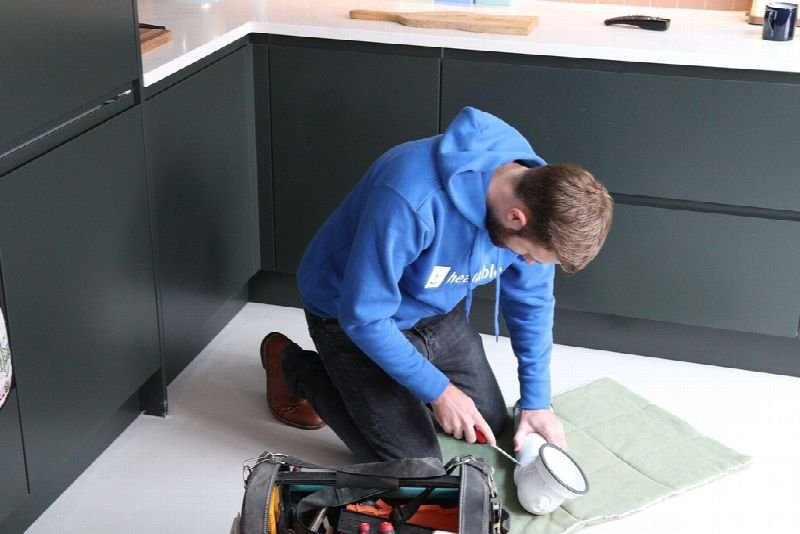
Tradesman in a blue jacket kneeling to work on a pipe fitting
Photo: Heatable, CC BY 2.0.

Where time leaks

Where the hours go in plumbing

Patterns we see in this industry. Your workflow will differ; discovery confirms which ones apply.

01

Emergency calls (burst pipes, sewage backups) arrive mixed with routine leaky-faucet requests, and the urgent ones wait.

02

Google Local Services Ads leads need a fast response or the ad budget is wasted.

03

Water heater and repipe quotes require photos and model numbers the office has to chase.

04

Techs collect payment on site but job notes and part numbers rarely make it into the invoice cleanly.

Common tools in plumbing:Housecall ProJobberServiceTitanWorkizQuickBooksGoogle Local Services Ads

Named for compatibility only. No partnership or endorsement implied; we confirm API access for your plan during discovery.

Automation recipes

5 automations built for plumbing

Trigger → steps → outcome. Each one is a scoped, fixed-price build.

Discuss This Solution

Emergency triage line

#1

Trigger Inbound call or web form

  1. Asks: is water actively leaking? Is the main shut off?
  2. Gives the shut-off instruction you approved
  3. Active leak: page the on-call plumber; otherwise offer next-day slots

Outcome True emergencies reach a plumber within minutes

Typical stack: Twilio, Workiz or Housecall Pro
Local Services Ads lead response

#2

Trigger New LSA lead or message

  1. Replies within 60 seconds with a booking link
  2. Pulls the job type and ZIP into the FSM
  3. Notifies dispatch if the lead is an emergency

Outcome Faster response on paid leads

Typical stack: Google LSA, Jobber or ServiceTitan

Photo-first water heater quote

#3

Trigger Customer requests a replacement quote

  1. Texts a link to upload photos of the unit and data plate
  2. AI reads model, capacity and fuel type from the photo
  3. Drafts good/better/best options for the estimator to approve

Outcome Quotes go out the same day without a site visit for simple swaps

Typical stack: Jobber quotes, SMS

Jetting and camera job report

#4

Trigger Tech uploads camera inspection notes

  1. AI turns notes into a customer-friendly findings summary
  2. Attaches video link and recommended next steps
  3. Creates the follow-up estimate if repairs are needed

Outcome Inspection findings turn into estimates instead of being forgotten

Typical stack: Housecall Pro, Google Drive

Permit and inspection tracker

#5

Trigger Repipe or water heater job sold

  1. Creates a permit checklist for the job jurisdiction
  2. Reminds the office of the inspection date
  3. Notifies the customer when the inspection is booked

Outcome Fewer jobs stuck waiting on paperwork

Typical stack: Spreadsheet or Airtable, email

Interactive

Build your automation

Pick what starts it and what should happen next. Your workflow assembles live below. This is a planning tool; we confirm what your tools support during discovery.

2. …do these steps (up to 6)

Your workflow

Planning preview
  1. Trigger

Add at least one step on the left.

Demo

Try a missed-call text-back

Tap "Start a missed call" and reply as the customer. Runs in your browser.

MessagesDEMO
No messages yet

Incoming call…

Nobody can answer right now

Missed-lead revenue estimate

Estimate

Move the sliders to match your business.

Est. recovered / month

Est. per year

missed → re-engaged → won per month

Estimate = leads × missed % × re-engaged % × close % × deal value, using only the numbers you entered. Not a guarantee; excludes software and build costs.

Plan my text-back automation
Demo

Watch the workflow run

Step through "Emergency triage line" one stage at a time. Click any step.

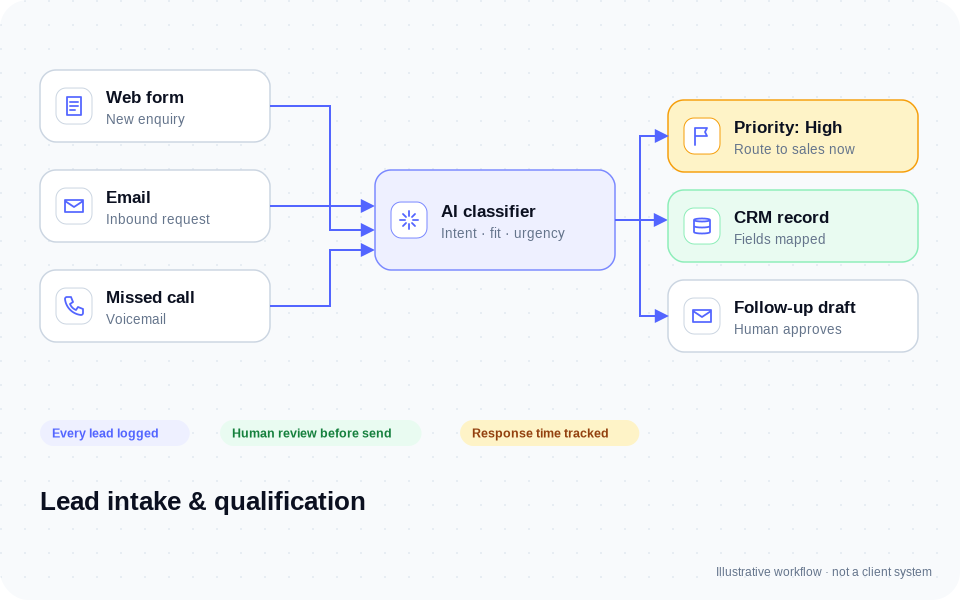
Diagram: enquiries from a web form, email and missed calls are classified by AI, prioritized, logged in a CRM and given a follow-up draft for human approval

ROI estimate

A starting ROI estimate for plumbing

Preset for a small team. Change the numbers to match your business.

Quick estimate

Estimate

Capacity / month

Capacity / year

Calculate Potential Savings →

How we implement

Built around how work actually runs in plumbing

We begin with your top three call types and the questions your best dispatcher asks. Those become the triage script, tested against recorded or sample calls before going live.

Discovery call: We walk through your current process and tools (free, 30 minutes).

Workflow map & fixed quote: Written scope, software costs listed separately, compliance notes included.

Build in a test environment: Your accounts, test data first, then a supervised pilot.

Handover: Documentation, training and an optional support plan.

Limitations & compliance notes

  • Shut-off and safety instructions are written and approved by your team; the AI repeats them verbatim and never improvises.
  • SMS follow-ups require consent and A2P 10DLC registration.
  • Price ranges are only quoted if you set them; final pricing stays with your estimator.

General information, not legal advice. Confirm requirements with your own counsel or compliance officer.

Want these automations running in your business?

Tell us your tools and the one task you'd remove first. We reply with a plan.

FAQ

Common questions

It follows your rules (active water, sewage backup, no water at all). Anything unclear is escalated to a person.

No. Many plumbing shops use Housecall Pro, Jobber or Workiz, which are simpler to integrate.

Yes. We recommend disclosing the assistant up front and always offering a way to reach a person.

Next step

Tell us how plumbing work flows today

Two short steps. We reply by email, usually to set up a 30-minute discovery call.

What happens after you submit

  1. 1

    We read it personally

    A person reviews your note. No automated sales sequence.

  2. 2

    We reply by email

    Usually with 2–3 clarifying questions and times for a 30-minute call.

  3. 3

    You get a written plan

    Workflow map, fixed quote and listed software costs before any build. No obligation.

Prefer to talk? Call (214) 891-5650 or email info@fullstopsolutions.com.

Not ready to talk? Try the ROI calculator or readiness check. No email needed.

Request a consultation

Step 1 of 2

Your details

What do you want help with? *

About your project

We reply by email. No automated sales sequences.

Calculate Savings Get My Automation Plan

Fullstop automation assistant

Instant answers · humans on request

Automated assistant. A specialist confirms pricing and project details. Privacy