Skip to content
Fullstop Solutions

Home & field services

AI automation for HVAC companies

Answer every no-heat and no-cool call, keep maintenance agreements renewing and stop re-typing jobs into ServiceTitan or Housecall Pro.

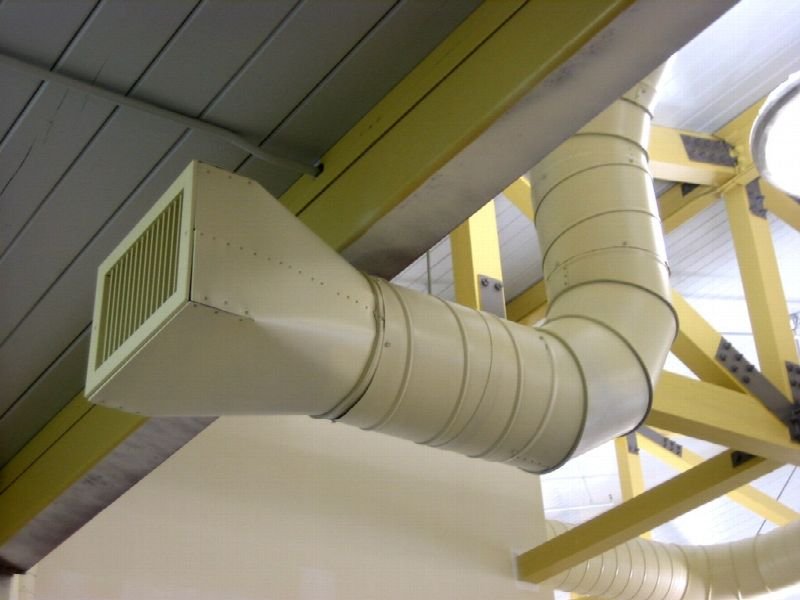
Exposed ventilation ductwork running along a ceiling
Photo: Michael Casey, CC BY 2.0.

Where time leaks

Where the hours go in HVAC

Patterns we see in this industry. Your workflow will differ; discovery confirms which ones apply.

01

Peak-season call spikes on the first hot or cold week overwhelm the CSR team, and callers hang up and dial the next company.

02

Maintenance agreement renewals and tune-up reminders depend on someone running a report and calling the list.

03

Techs finish a job but the invoice, photos and notes reach the office hours later, delaying billing.

04

Equipment replacement estimates go out and nobody follows up until the homeowner has signed with a competitor.

Common tools in HVAC:ServiceTitanHousecall ProFieldEdgeJobberQuickBooksPodium

Named for compatibility only. No partnership or endorsement implied; we confirm API access for your plan during discovery.

Automation recipes

5 automations built for HVAC

Trigger → steps → outcome. Each one is a scoped, fixed-price build.

Discuss This Solution

Overflow and after-hours call capture

#1

Trigger Call unanswered after 4 rings or outside business hours

  1. AI voice agent answers and asks for system type, symptom and address
  2. Flags "no heat" with vulnerable occupants or a gas smell as urgent
  3. Urgent: warm-transfers to the on-call tech; routine: books into an open slot

Outcome Every call ends with a booked job or a callback task, not a voicemail

Typical stack: ServiceTitan or Housecall Pro, Twilio

Maintenance agreement renewal sequence

#2

Trigger Agreement end date 45 days away

  1. Pulls agreement and last visit from the FSM
  2. Sends a personalised renewal text and email with a pay link
  3. Creates a CSR call task if there is no response after 10 days

Outcome Renewals no longer depend on a monthly report

Typical stack: ServiceTitan memberships, Stripe or QuickBooks Payments

Replacement estimate follow-up

#3

Trigger Estimate marked "sent" with no sold status after 48 hours

  1. Sends the homeowner a plain-English summary of the options quoted
  2. Offers a call with the comfort advisor
  3. Escalates high-value estimates to the sales manager

Outcome Open estimates get a consistent follow-up cadence

Typical stack: ServiceTitan or FieldEdge, email/SMS

Job-complete to invoice and review

#4

Trigger Tech marks the job complete

  1. AI drafts the invoice summary from tech notes for office review
  2. Emails the invoice with photos attached
  3. Sends a review request 2 hours after payment

Outcome Same-day billing and steady review requests

Typical stack: Housecall Pro or Jobber, QuickBooks, Google Business Profile

Filter and parts reorder alerts

#5

Trigger Truck stock count drops below the minimum in the inventory sheet

  1. Compiles the reorder list by supplier
  2. Drafts the PO for approval
  3. Posts the approved PO to purchasing

Outcome Fewer second trips for missing parts

Typical stack: Spreadsheet or FSM inventory, email

Interactive

Build your automation

Pick what starts it and what should happen next. Your workflow assembles live below. This is a planning tool; we confirm what your tools support during discovery.

2. …do these steps (up to 6)

Your workflow

Planning preview
  1. Trigger

Add at least one step on the left.

Demo

Try a missed-call text-back

Tap "Start a missed call" and reply as the customer. Runs in your browser.

MessagesDEMO
No messages yet

Incoming call…

Nobody can answer right now

Missed-lead revenue estimate

Estimate

Move the sliders to match your business.

Est. recovered / month

Est. per year

missed → re-engaged → won per month

Estimate = leads × missed % × re-engaged % × close % × deal value, using only the numbers you entered. Not a guarantee; excludes software and build costs.

Plan my text-back automation
Demo

Watch the workflow run

Step through "Overflow and after-hours call capture" one stage at a time. Click any step.

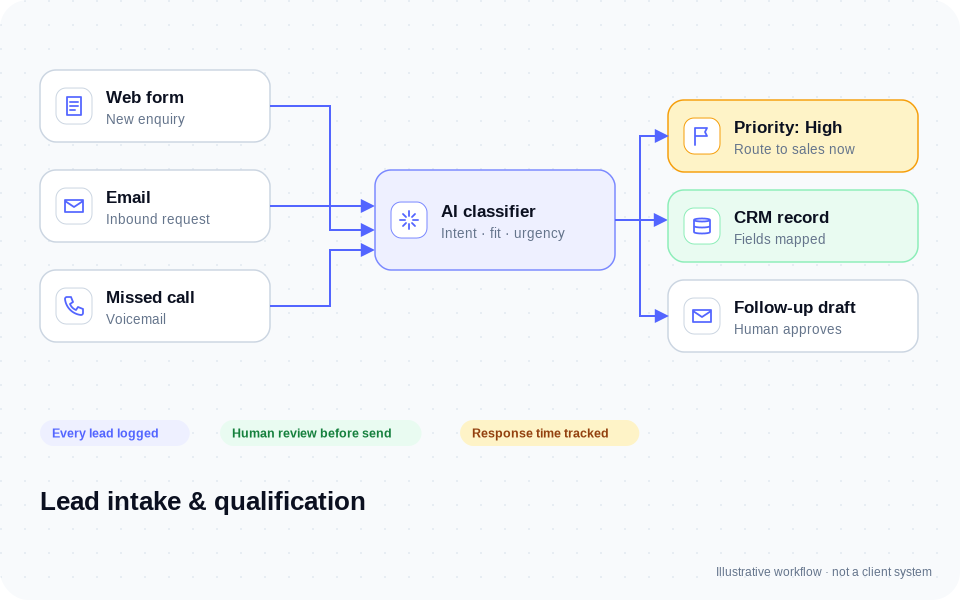
Diagram: enquiries from a web form, email and missed calls are classified by AI, prioritized, logged in a CRM and given a follow-up draft for human approval

ROI estimate

A starting ROI estimate for HVAC

Preset for a small team. Change the numbers to match your business.

Quick estimate

Estimate

Capacity / month

Capacity / year

Calculate Potential Savings →

How we implement

Built around how work actually runs in HVAC

We start with call flows, because that is where HVAC revenue leaks first. We map your CSR scripts and dispatch rules, then connect the voice agent to your FSM booking API in a test environment before any live calls.

Discovery call: We walk through your current process and tools (free, 30 minutes).

Workflow map & fixed quote: Written scope, software costs listed separately, compliance notes included.

Build in a test environment: Your accounts, test data first, then a supervised pilot.

Handover: Documentation, training and an optional support plan.

Limitations & compliance notes

  • Outbound renewal texts need prior express consent and an A2P 10DLC registered number; we build opt-out (STOP) handling in.
  • Call recording and AI answering must be disclosed to callers where state law requires two-party consent.
  • Gas-smell and carbon-monoxide calls always route to a person with safety instructions you approve. The AI never gives diagnostic advice.

General information, not legal advice. Confirm requirements with your own counsel or compliance officer.

Want these automations running in your business?

Tell us your tools and the one task you'd remove first. We reply with a plan.

FAQ

Common questions

No. It handles overflow, after-hours and repetitive admin so CSRs can focus on booking and selling during peak hours.

ServiceTitan offers APIs to approved integrators and partners; we confirm what your account allows during discovery. Housecall Pro and Jobber have public APIs and Zapier integrations.

You define the emergency rules. Matching calls are transferred to your on-call number and logged, with no automated diagnosis.

Next step

Tell us how hvac work flows today

Two short steps. We reply by email, usually to set up a 30-minute discovery call.

What happens after you submit

  1. 1

    We read it personally

    A person reviews your note. No automated sales sequence.

  2. 2

    We reply by email

    Usually with 2–3 clarifying questions and times for a 30-minute call.

  3. 3

    You get a written plan

    Workflow map, fixed quote and listed software costs before any build. No obligation.

Prefer to talk? Call (214) 891-5650 or email info@fullstopsolutions.com.

Not ready to talk? Try the ROI calculator or readiness check. No email needed.

Request a consultation

Step 1 of 2

Your details

What do you want help with? *

About your project

We reply by email. No automated sales sequences.

Calculate Savings Get My Automation Plan

Fullstop automation assistant

Instant answers · humans on request

Automated assistant. A specialist confirms pricing and project details. Privacy