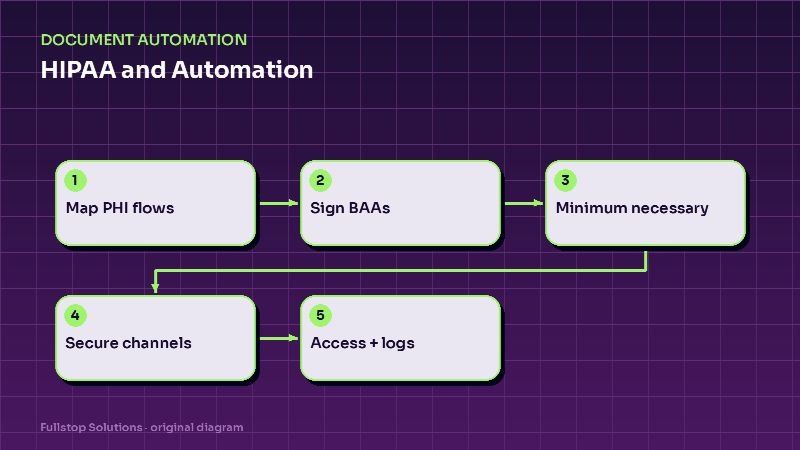
Short answer: before automating anything in a healthcare practice, map exactly where patient information will flow, make sure every vendor that touches it has signed a business associate agreement when required, send only the minimum information each tool needs, use secure channels for anything clinical, restrict and log access, and review vendors periodically. With those basics in place, reminders, intake, phone answering and document processing can all be automated responsibly.
This is a practical checklist based on public HHS guidance, not legal advice. Your compliance advisor or counsel should confirm how it applies to your practice.
Why automation raises HIPAA questions
Most practice automation touches protected health information (PHI) somewhere: a reminder contains a patient's name and appointment time; an intake form collects medical history; an AI receptionist hears symptoms; a document pipeline reads records from other providers. Each of those is a place where PHI moves, and HIPAA cares about how it moves and who handles it.
Step 1: Map the data flows
For each automation, write down:
- What PHI is involved (name, contact details, appointment details, insurance, clinical notes, images).
- Where it comes from and where it goes.
- Which vendors and tools touch it along the way, including logging and analytics.
- Who on your staff can see it at each step.
This map makes everything else concrete. It also reveals surprises, like a reminder tool that stores full appointment notes it never uses.
Step 2: Business associate agreements
HHS explains that a business associate is a person or entity, other than your workforce, that performs functions for you involving access to PHI, including subcontractors of business associates. HIPAA generally requires a contract with each one. According to HHS guidance on contract provisions, the contract must, among other things:
- establish the permitted uses and disclosures of PHI,
- require appropriate safeguards, including Security Rule requirements for electronic PHI,
- require reporting of unauthorized uses or disclosures, including breaches,
- require subcontractors to agree to the same restrictions,
- provide for return or destruction of PHI at termination where feasible,
- allow termination if the business associate violates a material term.
Practical rule: if a vendor will touch PHI and will not sign a BAA, do not use it for that workflow.
Step 3: Minimum necessary
Send each tool only what it needs. An appointment reminder needs a first name, phone number, date, time and location, not the reason for the visit. A review-request tool does not need any clinical information at all. A document pipeline may need full records, but its logs should not keep copies longer than necessary.
Step 4: Secure channels for clinical content
Keep clinical details out of standard text messages and email where you can:
- use secure patient portals or secure links for intake forms, medical history and results,
- keep reminder texts generic ("You have an appointment at Northside Chiropractic on Tuesday at 3 pm"),
- route patient replies that contain clinical concerns to staff through secure systems.
Patients have rights here too. HHS guidance on the right of access explains, for example, that if a patient asks to receive their information by unencrypted email after being told the risks, the practice generally must honor that request. Know the difference between your default practices and a patient's documented preference.
Step 5: Access control and logging
- Give each staff member and each integration only the access they need.
- Use multi-factor authentication on every system with PHI, including automation platforms.
- Log who accessed what, and review the logs periodically.
- Remove access promptly when staff leave or vendors change.
Step 6: AI-specific checks
AI receptionists, chat assistants and document extraction tools raise extra questions:
- Is PHI used to train the vendor's models? Get this in writing, and prefer vendors that do not.
- Where are recordings and transcripts stored, and for how long?
- Can the AI be constrained to approved information so it does not improvise clinical advice?
- Are general-purpose AI tools off-limits for patient data unless covered by an appropriate agreement? Train staff on this.
Step 7: Review periodically
Vendors change features, subcontractors and terms. Revisit your data map and vendor list at least annually, and whenever you add a new tool or workflow.
Common automations and their HIPAA notes
| Automation | Key HIPAA notes |
|---|---|
| Appointment reminders | Minimal content; BAA with the messaging vendor if it handles PHI |
| Digital intake forms | Secure portal; BAA with the form vendor; access controls |
| AI phone receptionist | BAA; recording retention; no clinical advice |
| Recall and reactivation | Minimal content; respect communication preferences |
| Records request processing | Secure transfer; minimum necessary; logging |
| Review requests | No clinical details; avoid confirming treatment in public responses |
Practice-specific notes
Dental: after-hours phone triage and recall are the most common automations; see after-hours calls for dental practices.
Chiropractic and physical therapy: reactivation and plan-of-care adherence messaging are common; see patient reactivation for chiropractic and PT.
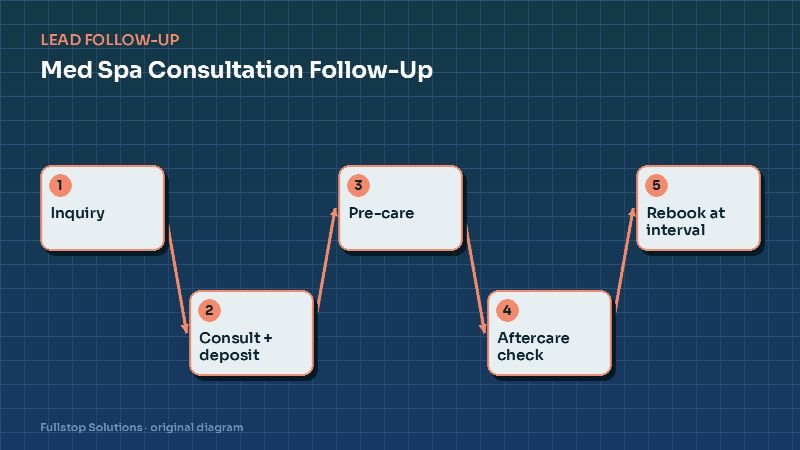
Med spas: whether HIPAA formally applies depends on your status, but the same care is wise; see med spa consultation follow-up.
Questions to ask every vendor
Will you sign a business associate agreement? Which subcontractors will handle our data? Where is data stored, and for how long, including logs, recordings and backups? Is any of our data used to train models or improve services? How do you support multi-factor authentication and access logs? How quickly will you notify us of a security incident? Can we export and delete our data when we leave? Keep the answers on file with the agreement.
A quick vendor checklist
Before connecting any tool to patient data, confirm: a signed business associate agreement, encryption in transit and at rest, user access controls with MFA, audit logs, a data retention and deletion policy, and breach notification terms. Keep the signed agreements and your risk analysis with your compliance records.
Where to start
Do the data map first, for the automations you already run, before adding new ones. Then sign or update BAAs, trim data to the minimum and move clinical content to secure channels. Our document processing service and industry pages for dental practices and chiropractic describe how we build with these constraints from the start.