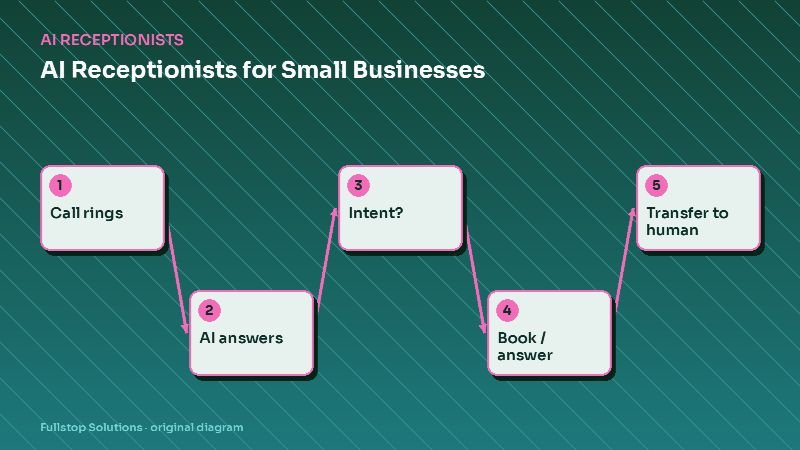
Short answer: an AI phone assistant lets a restaurant answer every call during service. It takes takeout orders and sends them to your POS or kitchen tablet, books reservations into your reservation system, answers hours, parking and policy questions, notes allergies on tickets without making safety promises, and routes catering inquiries to a manager. Staff stay focused on guests in the room.
The rush-hour phone problem
Friday at 7 pm, the host stand has a line, the bar is three deep and the phone rings again. Someone has to choose: the guest in front of them or the caller. Either way, someone waits. Unanswered calls during the rush are often takeout orders, which simply go to another restaurant.
Third-party delivery apps solved part of this, at a commission. Direct phone orders remain valuable, and many regulars still prefer calling. An AI assistant lets you keep those orders without pulling a server off the floor.
What the assistant handles
Takeout orders
The assistant walks through your menu as you configure it: items, sizes, modifiers ("no onions", "extra cheese"), and combos. It repeats the order back, gives a pickup time based on rules you set (for example, current kitchen quote times), takes a name and phone number, and sends the ticket to your POS or a kitchen tablet. Payment can be at pickup or through a secure text link, depending on your setup.
Reservations
For table-service restaurants, it checks availability in your reservation system, books the party, and texts a confirmation. Large parties, special occasions and requests outside rules go to a manager.
Routine questions
Hours, holiday hours, parking, patio availability, dress code, whether you take walk-ins, gift cards. The assistant answers from the information you approve and keep updated.
Catering leads
Catering orders can be among the most valuable calls a restaurant receives, and they need a person. The assistant collects event date, headcount, location, style (drop-off, buffet, full service), budget range and contact details, then alerts the catering manager and sends the caller your catering menu link. See catering automation.
Allergies: get this right
Food allergies are a safety issue, not a sales opportunity. The FDA's consumer guidance on food allergies describes the major food allergens and how serious reactions can be. Your assistant should:
- never promise a dish is free of an allergen unless your kitchen has explicitly approved that statement,
- share your published allergen policy (for example, "our kitchen handles nuts and we can't guarantee no cross-contact"),
- mark the allergy prominently on the ticket,
- offer a manager callback for detailed questions.
Integrations
| System | What the assistant does |
|---|---|
| POS (Toast, Square, Clover and others) | Creates orders with modifiers, where integration exists |
| Online ordering platform | Uses its menu and order API as the source of truth |
| Reservation system | Checks availability and books parties |
| Kitchen display or printer | Fallback for receiving orders |
| SMS | Order confirmations, ready notifications, payment links |
Keep one menu source of truth. If the assistant reads the menu from your online-ordering platform, a price change updates everywhere.
Pizzerias: a special case
Pizzerias often get the highest share of phone orders, with lots of modifiers (half-and-half toppings, crust types, sizes) and frequent repeat customers. Recognizing returning callers ("Would you like your usual large pepperoni?") speeds things up. Delivery zones and minimums can be checked by address. See pizzeria automation.
Upselling without annoying people
One relevant suggestion per order is plenty: "Would you like to add garlic knots or a drink?" Choose suggestions that genuinely pair with the order. Never push after a "no".
What to keep human
- Complaints about a previous order.
- Detailed allergy questions.
- Large parties and private events.
- Catering and corporate orders.
- Anything about staff or jobs.
Measuring the impact
Compare busy nights before and after:
- calls answered versus missed,
- phone orders and average ticket,
- reservations booked by phone,
- catering inquiries captured.
Ask your hosts and servers too. Fewer phone interruptions during service is a benefit you will feel immediately.
Common mistakes
Out-of-date menus. If the 86'd special is still being offered by phone, the kitchen gets frustrated. Tie the assistant to the live menu and an "out of stock" switch.
Unrealistic pickup times. Use real kitchen quote times, adjusted during peaks.
Making the caller repeat everything for modifications. Test complex orders thoroughly before launch.
Questions to answer before launch
Which menu is the source of truth, and who updates it? What pickup times should the assistant quote on a quiet night versus a Friday rush? Do you take payment by phone, by text link or only at pickup? How should large orders be handled: accepted automatically, or flagged for a manager to confirm? Which questions about allergies, ingredients or substitutions should always go to a person? Which reservation sizes need a manager? Settling these in advance keeps the kitchen and the assistant in sync from day one.
A Friday dinner rush on the phones
At 6:15 p.m., the restaurant has a full dining room and the phone keeps ringing. The AI phone assistant takes a pickup order: two large pizzas, one with a substitution, and a salad. It reads the order back, gives the total from the menu prices in the POS and a pickup time based on the current kitchen queue settings, and sends the order to the POS. The caller asks whether the crust contains nuts; the assistant does not guess. It reads the allergen information the restaurant entered for that item and, as instructed, suggests the caller speak with a manager for serious allergies, transferring the call.
At 6:40, a caller wants to book a table for eight on Saturday. The assistant checks the reservation system and offers two times. At 7:05, a caller complains that their delivery is late. The assistant apologizes, looks up the order and transfers to the manager on duty, because complaints are on the transfer list.
Staff on the floor never touched the phone for routine calls, and every call with a question about allergies or a complaint reached a person.
Setting it up for your menu
Accuracy starts with the menu data: every item, modifier, price and allergen note entered cleanly in the POS. Test with real orders, including tricky modifiers and half-and-half items, before going live, and check how 86'd items are communicated so the assistant stops offering them.
Where to start
Start with routine questions and reservations, which are low risk, then add takeout ordering once your menu is cleanly configured. Our restaurant automation page covers the full set of workflows, including review requests and loyalty, and the AI receptionist guide explains rollout.