
Skip to content
Fullstop Solutions

Professional services

Staffing agency automation: AI workflows for recruiters

Staffing agency automation uses software and AI to handle repeat recruiting admin — candidate and client intake, status updates, and follow-up — around the ATS and tools you already use. Recruiters still make the hiring decisions.

Last updated:

Job candidate in a suit talking with an interviewer across a desk
Photo: amtec_photos, CC BY-SA 2.0.

Where time leaks

Where do the hours go in staffing agencies?

Patterns we see in this industry. Your workflow will differ; discovery confirms which ones apply.

01

Hundreds of applicants per posting; recruiters spend hours on first-pass screening.

02

Clients request shifts at short notice and recruiters text candidates one by one.

03

Onboarding documents (I-9, W-4, certifications) are chased for days.

04

Timesheets arrive late and in different formats.

Common tools in staffing agencies:BullhornJobDivaAviontéCrelateIndeedGreenhouse

Named for compatibility only. No partnership or endorsement implied; we confirm API access for your plan during discovery.

Automation recipes

Which automations do we usually build for staffing agencies?

Trigger → steps → outcome. Each one is a scoped, fixed-price build.

Discuss This Solution

First-pass applicant screening

#1

Trigger New application

  1. Asks knockout questions you define (availability, certification, location)
  2. Scores against the job's must-haves
  3. Books qualified candidates with a recruiter

Outcome Recruiters talk to qualified people

Typical stack: Bullhorn or Crelate, Indeed
Shift fill blast

#2

Trigger Client posts an open shift

  1. Finds available, qualified workers
  2. Texts offers in priority order
  3. Confirms the first acceptance and notifies the client

Outcome Shifts filled in minutes

Typical stack: Avionté, SMS

Onboarding paperwork

#3

Trigger Candidate accepts offer

  1. Sends the document packet
  2. Tracks completion and expiring certifications
  3. Alerts the recruiter to blockers

Outcome Workers ready to start on time

Typical stack: JobDiva, DocuSign

Timesheet collection

#4

Trigger Week ends

  1. Reminds workers and client approvers
  2. Extracts hours from uploaded timesheets
  3. Flags mismatches before payroll

Outcome Payroll runs on time

Typical stack: Bullhorn, email

Redeployment alert

#5

Trigger Assignment ending in 14 days

  1. Notifies the recruiter
  2. Matches the worker to open orders
  3. Sends the worker new opportunities

Outcome Fewer gaps between assignments

Typical stack: Bullhorn

Staffing workflows to automate first

Agencies usually start with candidate and client intake, interview scheduling updates, and placement follow-up, built around your ATS. Book a free 30-minute call to map yours.

Interactive

Build your automation

Pick what starts it and what should happen next. Your workflow assembles live below. This is a planning tool; we confirm what your tools support during discovery.

2. …do these steps (up to 6)

Your workflow

Planning preview
  1. Trigger

Add at least one step on the left.

Demo

Try a missed-call text-back

Tap "Start a missed call" and reply as the customer. Runs in your browser.

MessagesDEMO
No messages yet

Incoming call…

Nobody can answer right now

Missed-lead revenue estimate

Estimate

Move the sliders to match your business.

Est. recovered / month

Est. per year

missed → re-engaged → won per month

Estimate = leads × missed % × re-engaged % × close % × deal value, using only the numbers you entered. Not a guarantee; excludes software and build costs.

Plan my text-back automation
Demo

Watch the workflow run

Step through "First-pass applicant screening" one stage at a time. Click any step.

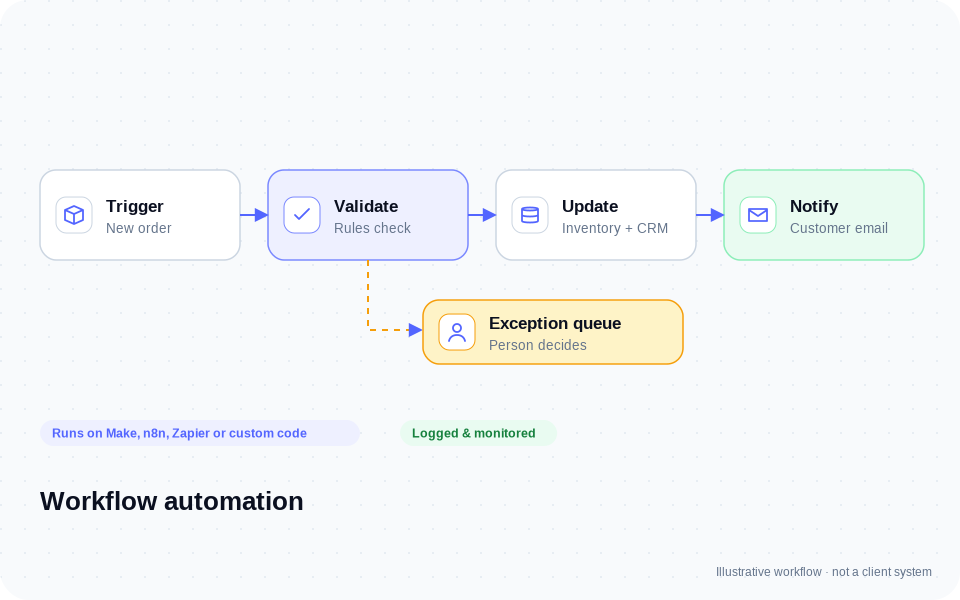
Diagram: a new order triggers validation, inventory and CRM updates and a customer email, with exceptions routed to a person

ROI estimate

What could automation be worth for staffing agencies?

Preset for a small team. Change the numbers to match your business.

Quick estimate

Estimate

Capacity / month

Capacity / year

Calculate Potential Savings →

How we implement

How do we implement this for staffing agencies?

Screening rules come from your job orders and are reviewed for fairness before launch. We start with shift filling or timesheets, where the rules are objective.

Discovery call: We walk through your current process and tools (free, 30 minutes).

Workflow map & fixed quote: Written scope, software costs listed separately, compliance notes included.

Build in a test environment: Your accounts, test data first, then a supervised pilot.

Handover: Documentation, training and an optional support plan.

What are the limits and compliance notes?

  • Automated screening must comply with EEOC guidance on AI in employment decisions, and local laws such as NYC Local Law 144 (bias audits for automated employment decision tools).
  • Knockout questions must be job-related; final hiring decisions stay with people.
  • Worker texts require consent and A2P 10DLC registration; I-9 verification follows USCIS rules.

General information, not legal advice. Confirm requirements with your own counsel or compliance officer.

Want these automations running in your business?

Tell us your tools and the one task you'd remove first. We reply with a plan.

FAQ

Common questions

It is using software and AI to handle repeat recruiting admin, such as intake, status updates and follow-up, while recruiters still decide who to submit and hire.

No. We build around the applicant tracking system you already use.

Bullhorn has an open REST API and marketplace; we confirm access for your instance.

We recommend AI only routes and prioritizes, with recruiters reviewing rejections, which also reduces legal risk.

It tracks documents and expiry dates; verification follows your process.

Next step

Tell us how staffing agencies work flows today

Two short steps. We reply by email, usually to set up a 30-minute discovery call.

What happens after you submit

  1. 1

    We read it personally

    A person reviews your note. No automated sales sequence.

  2. 2

    We reply by email

    Usually with 2–3 clarifying questions and times for a 30-minute call.

  3. 3

    You get a written plan

    Workflow map, fixed quote and listed software costs before any build. No obligation.

Prefer to talk? Call (214) 891-5650 or email info@fullstopsolutions.com.

Not ready to talk? Try the ROI calculator or readiness check. No email needed.

Request a consultation

Step 1 of 2

Your details

What do you want help with? *

About your project

We reply by email. No automated sales sequences.

Calculate Savings Get My Automation Plan

Fullstop automation assistant

Instant answers · humans on request

Automated assistant. A specialist confirms pricing and project details. Privacy