Skip to content
Fullstop Solutions

Plumbing · Commercial plumbing

AI automation for commercial plumbing contractors

Keep annual backflow tests and grease trap services on schedule, turn facility requests into jobs, and get compliance paperwork filed without chasing techs.

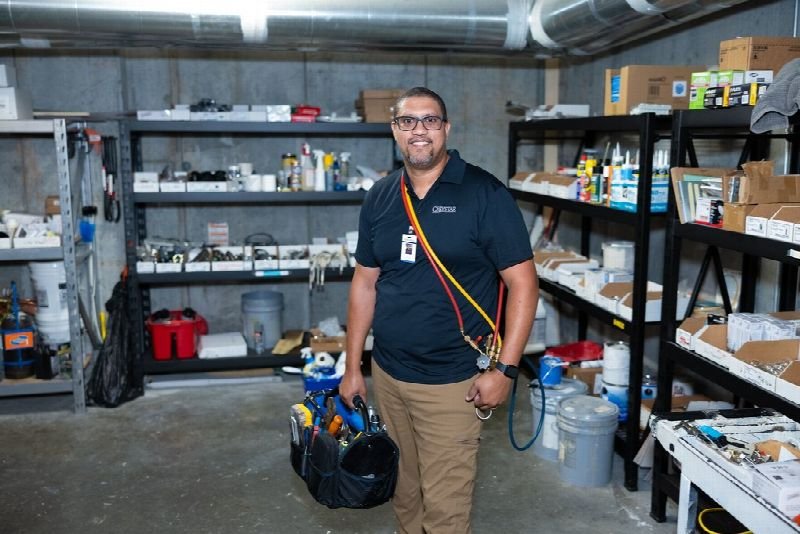
Maintenance technician carrying a tool bag in a supply room

Where time leaks

Where the hours go in commercial plumbing

Patterns we see in this industry. Your workflow will differ; discovery confirms which ones apply.

01

Annual backflow tests are due on different dates for every device, and missed tests mean notices from the water utility for your customer.

02

Test reports must be submitted to each local water purveyor in their own format, often manually.

03

Facility managers send requests through portals, email and calls, each needing a PO number before work starts.

04

Multi-site customers want consolidated invoices by location and PO, and billing assembles them by hand.

Common tools in commercial plumbing:ServiceTitanBuildOpsServiceChannelCorrigoQuickBooksSyncta

Named for compatibility only. No partnership or endorsement implied; we confirm API access for your plan during discovery.

Automation recipes

4 automations built for commercial plumbing

Trigger → steps → outcome. Each one is a scoped, fixed-price build.

Discuss This Solution

Backflow test scheduler

#1

Trigger Device test due within 60 days

  1. Lists devices due by site and route
  2. Emails the site contact proposed dates
  3. Books the tester once a date is confirmed

Outcome Tests happen before the due date, not after the notice

Typical stack: Device register, FSM, email
Test report filing prep

#2

Trigger Tester completes a backflow test form

  1. Extracts device serial, readings and pass or fail
  2. Fills the water purveyor's required form or upload file
  3. Queues it for office review and submission

Outcome Compliance filings stop piling up at month end

Typical stack: Document processing, purveyor portals or email

PO-gated work orders

#3

Trigger New request from a facility contact

  1. Checks whether a PO or NTE is attached
  2. Requests it automatically if missing
  3. Releases the job to dispatch once received

Outcome No more work done without a billable PO

Typical stack: Email, FSM

Consolidated multi-site invoicing

#4

Trigger Month end for multi-site accounts

  1. Groups closed jobs by site and PO
  2. Builds one invoice with line detail per location
  3. Sends it to the customer's AP address

Outcome Faster payment from large accounts

Typical stack: QuickBooks or FSM invoicing

Interactive

Build your automation

Pick what starts it and what should happen next. Your workflow assembles live below. This is a planning tool; we confirm what your tools support during discovery.

2. …do these steps (up to 6)

Your workflow

Planning preview
  1. Trigger

Add at least one step on the left.

Demo

Try a missed-call text-back

Tap "Start a missed call" and reply as the customer. Runs in your browser.

MessagesDEMO
No messages yet

Incoming call…

Nobody can answer right now

Missed-lead revenue estimate

Estimate

Move the sliders to match your business.

Est. recovered / month

Est. per year

missed → re-engaged → won per month

Estimate = leads × missed % × re-engaged % × close % × deal value, using only the numbers you entered. Not a guarantee; excludes software and build costs.

Plan my text-back automation
Demo

Watch the workflow run

Step through "Backflow test scheduler" one stage at a time. Click any step.

Technician kneeling to repair an appliance in a residential kitchen

ROI estimate

A starting ROI estimate for commercial plumbing

Preset for a small team. Change the numbers to match your business.

Quick estimate

Estimate

Capacity / month

Capacity / year

Calculate Potential Savings →

How we implement

Built around how work actually runs in commercial plumbing

We start from your device list and the water purveyors you file with. Each purveyor's format is set up and checked against a past submission before anything is filed.

Discovery call: We walk through your current process and tools (free, 30 minutes).

Workflow map & fixed quote: Written scope, software costs listed separately, compliance notes included.

Build in a test environment: Your accounts, test data first, then a supervised pilot.

Handover: Documentation, training and an optional support plan.

Limitations & compliance notes

  • Test results are entered and signed by your certified tester; the automation does not certify any device.
  • Submissions are reviewed by your office before they are sent to a water purveyor.

General information, not legal advice. Confirm requirements with your own counsel or compliance officer.

Want these automations running in your business?

Tell us your tools and the one task you'd remove first. We reply with a plan.

FAQ

Common questions

Where the purveyor accepts email or file uploads, the automation prepares the submission for one-click review. Portals without upload support stay manual.

Testers keep using the form they use today; the automation reads the completed form.

Yes, we can send each site a monthly due-date summary.

Next step

Tell us how your commercial plumbing work flows today

Two short steps. We reply by email, usually to set up a 30-minute discovery call.

What happens after you submit

  1. 1

    We read it personally

    A person reviews your note. No automated sales sequence.

  2. 2

    We reply by email

    Usually with 2–3 clarifying questions and times for a 30-minute call.

  3. 3

    You get a written plan

    Workflow map, fixed quote and listed software costs before any build. No obligation.

Prefer to talk? Call (214) 891-5650 or email info@fullstopsolutions.com.

Not ready to talk? Try the ROI calculator or readiness check. No email needed.

Request a consultation

Step 1 of 2

Your details

What do you want help with? *

About your project

We reply by email. No automated sales sequences.

Calculate Savings Get My Automation Plan