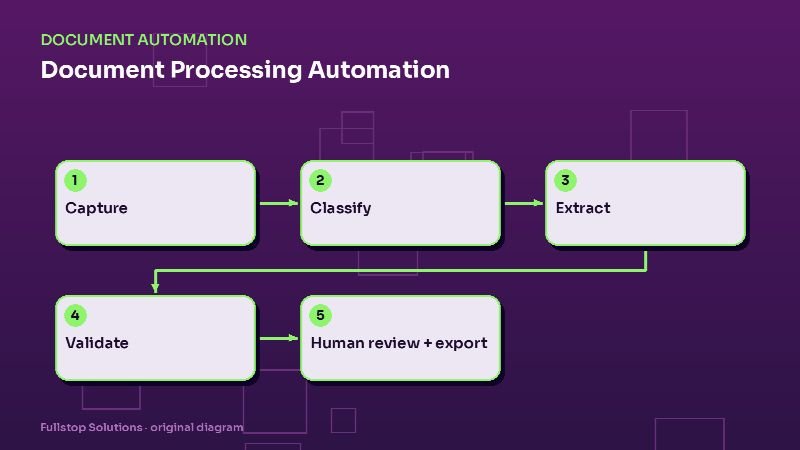
Document processing automation reads invoices, intake packets, applications and other paperwork, pulls out the fields you need, checks them, sends unclear items to a person and pushes clean data into your systems. Here is how it works and where to start.
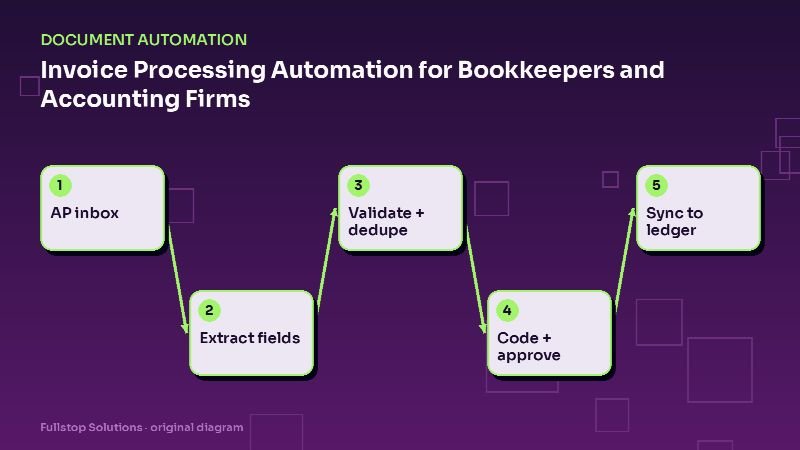
Bookkeepers spend hours keying vendor invoices for every client. Automation captures invoices from email, extracts and validates the data, suggests account coding, routes approvals and syncs to the ledger, leaving people to review exceptions.
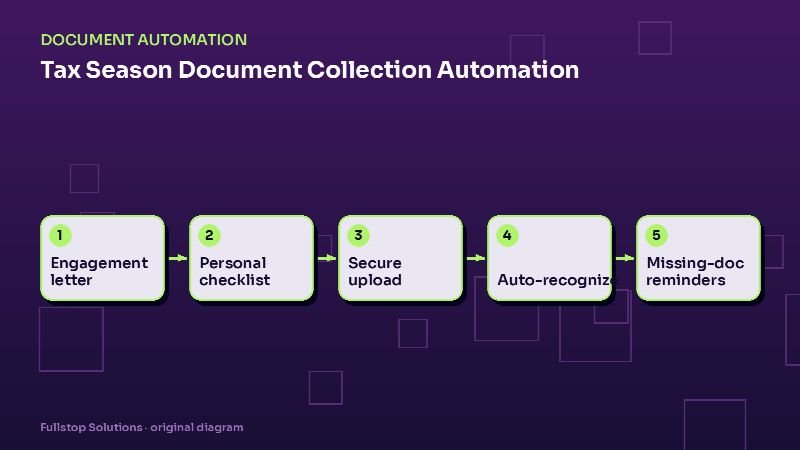
Most tax-season stress comes from chasing documents, not preparing returns. Automation sends engagement letters and personalized checklists, collects uploads securely, recognizes what arrived, chases what is missing and keeps clients informed.
Personal injury practices live on intake speed and document organization. Automation collects structured intake, sends retainers for e-signature after attorney approval, tracks medical providers and records requests, and keeps clients updated.
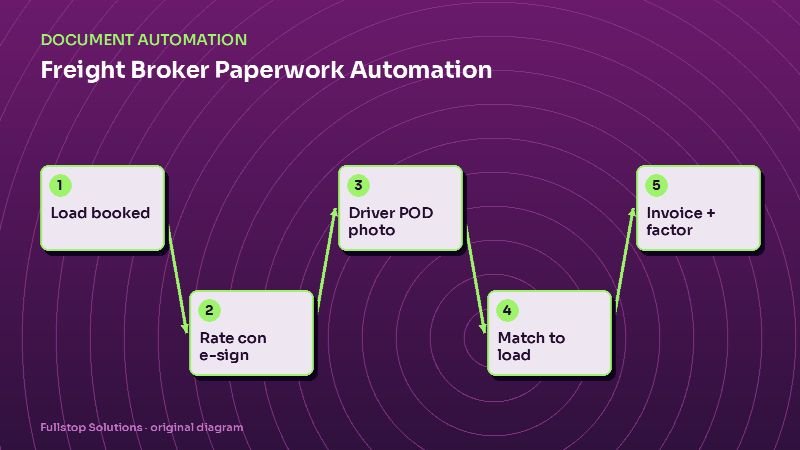
Brokerage margins depend on how fast paperwork moves. Automation sends rate confirmations, collects carrier packets, captures BOLs and PODs from driver photos, matches them to loads and triggers invoicing and factoring.
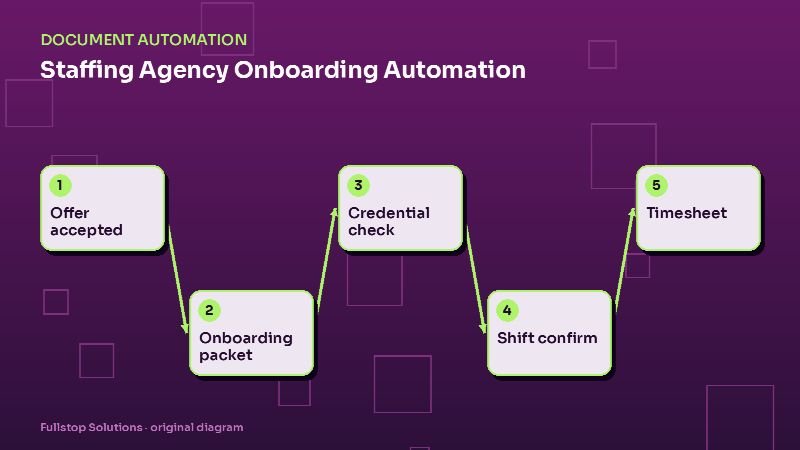
In staffing, the agency that gets a qualified candidate to the first shift fastest wins the order. Automation collects onboarding paperwork, tracks credentials and expirations, confirms shifts and collects timesheets, with recruiters focused on people.
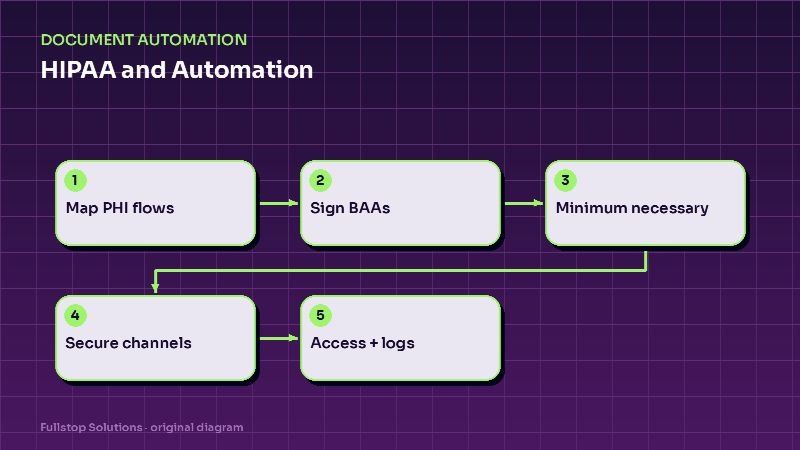
Automation can save healthcare practices hours a day, but anything that touches patient information brings HIPAA into play. This checklist covers business associate agreements, minimum necessary data, secure channels, access, logging and vendor review.
6 min read ·
Want the short version for your business?
A free automation audit maps where your leads, calls and paperwork slip, and what to automate first.