Short answer: in most dental practices, the automations with the biggest payoff are hygiene recall outreach, appointment confirmations with a short-notice waitlist, digital intake and medical history forms, unscheduled treatment follow-up, insurance verification prep, and review requests. Together they protect chair time and give the front desk hours back each week. Start with recall and confirmations, then add the rest.
Where front-desk time goes
A dental front desk handles incoming calls, confirmations, rescheduling, recall lists, new-patient paperwork, insurance checks, payment questions and checkouts, often while greeting patients in person. Many of these tasks are rule-based and repetitive, which makes them good candidates for automation. Your own call logs and schedule reports will show where the hours go in your office.
1. Hygiene recall
Patients who are due or overdue for cleanings are the most predictable source of production, and the easiest to lose track of.
How it works: the practice management system flags patients due for recall. They receive a text or email with a booking link, followed by a reminder if they do not book, then a call task for staff after a set number of attempts. Patients who book drop out of the sequence automatically.
Details that matter: respect communication preferences, stop for patients who have left the practice, and route "I moved" or "I switched dentists" replies to update records.
2. Confirmations and the waitlist
Confirmations: a reminder a few days ahead and another the day before, with a one-tap confirm or reschedule. Unconfirmed appointments create a call list for the morning.
Waitlist: when a slot opens, patients on the short-notice list receive an offer; the first to accept gets it. This turns cancellations into filled chairs instead of gaps.
3. Digital intake and medical history
New patients receive forms by link before the visit: demographics, medical history, medications, allergies, insurance details and consent forms. Returning patients get a short update form. Data flows into the practice management system rather than being retyped from a clipboard. Incomplete forms trigger a reminder the day before.
4. Unscheduled treatment follow-up
Diagnosed but unscheduled treatment is a common gap. A follow-up sequence reminds patients that treatment was recommended, offers an easy way to book or ask questions, and creates a task for the treatment coordinator to call. Financial discussions, such as estimates and payment plans, stay with staff. Messages should be minimal and avoid detailing diagnoses by text.
5. Insurance verification prep
Before appointments, an automation can gather the patient's insurance details from intake, create the verification task list for the coming days, and flag missing information early. Where your system or clearinghouse supports electronic eligibility checks, results can be attached to the appointment. Staff still review benefits for complex treatment.
6. Reviews and referrals
After a visit, patients receive a short thank-you with a review link. Ask every patient the same way; do not filter only happy patients or offer incentives for reviews. See review request automation.
7. Phone coverage
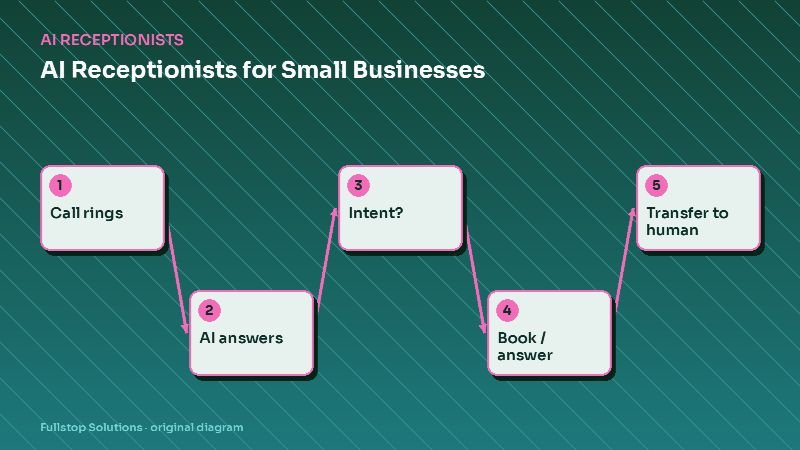
Calls during lunch, after hours and when the front desk is busy can go to an AI receptionist that answers questions, books hygiene visits and flags emergencies for the on-call process. See after-hours calls for dental practices.
Specialty differences
- Orthodontics: consultation follow-up, start-of-treatment paperwork and adjustment visit reminders matter most. See orthodontics automation.
- Pediatric dentistry: messages go to parents or guardians; recall timing and school-schedule-friendly booking help.
- Cosmetic and implant practices: longer consultation-to-decision cycles benefit from patient education follow-up.
HIPAA considerations
Any vendor that handles protected health information on your behalf should sign a business associate agreement; HHS explains what these must contain on its business associate contracts page. Keep message content to the minimum necessary, and see HIPAA and automation for healthcare practices.
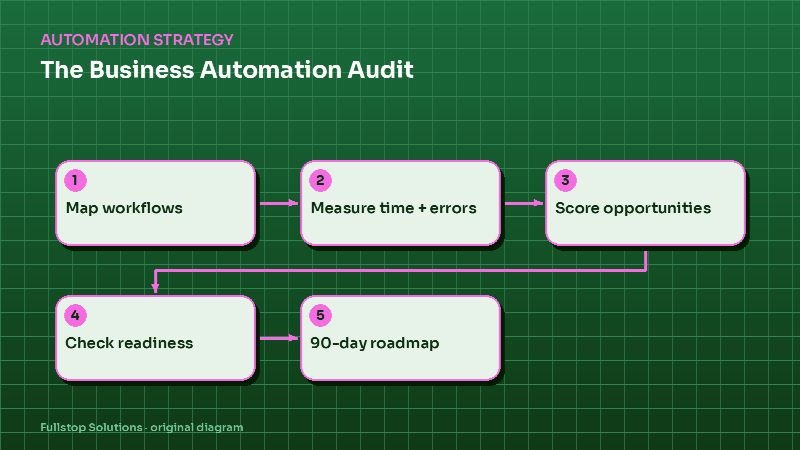
Sequencing the first 90 days
- Month 1: confirmations and waitlist.
- Month 2: hygiene recall and digital forms.
- Month 3: unscheduled treatment follow-up and reviews, plus phone coverage if call volume justifies it.
What to measure
Use your practice management reports: confirmation rate, same-day cancellations and no-shows, recall booking rate, unscheduled treatment value, forms completed before arrival, and front-desk hours spent on phones.
Questions to settle before you build
Which practice management system and version do you use, and what does it integrate with? Who owns recall and unscheduled treatment lists today? What message content is acceptable for your office under HIPAA policy? How many reminder attempts before staff call? Which emergencies should reach the on-call dentist, and how? These keep the project aligned with how your office actually works.
A front-desk morning with automation in place
At 7:30 a.m., before the office opens, the day's unconfirmed appointments are already on a short call list; most patients confirmed by text over the past two days. A hygiene patient cancelled last night, and the waitlist offer went out automatically. A patient who wanted an earlier slot accepted it at 6:45, so the chair is full.
Two new patients are coming in. Both completed their medical history and insurance details online; the front desk only needs to check photo ID and the insurance card. Their insurance verification tasks were created three days ago, and one flagged a missing subscriber date of birth, which the patient supplied by text.
During lunch, the phones roll to the AI receptionist. It books a recall visit, answers a parking question and takes a message from a patient with a broken tooth, which is flagged for the clinical team per the office's emergency rules.
In the afternoon, the treatment coordinator works the list of patients whose recommended treatment is still unscheduled. Most have had two reminders already; the ones on the list are those who need a conversation about cost or timing.
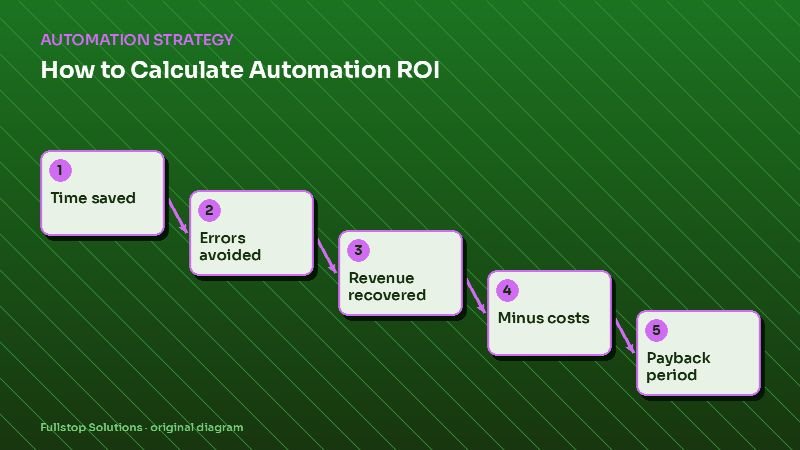
Estimating the value of an empty chair
Take your average hygiene production per visit and your monthly count of same-day cancellations and no-shows that were never filled. Multiply them. That is the monthly value of unfilled hygiene time in your office, using your own reports, and the figure that confirmation and waitlist automation works against.
Where to start
Pull a list of unconfirmed appointments and overdue recall patients for the past month; it usually shows where to begin. Our dental practice automation page covers each workflow, and our AI receptionist service handles phones.