Skip to content
Fullstop Solutions

Law firms · Workers' compensation

AI automation for workers' compensation law firms

Screen injured-worker calls in English and Spanish, capture the injury and employer reporting dates that drive deadlines, and keep clients updated through treatment and hearings.

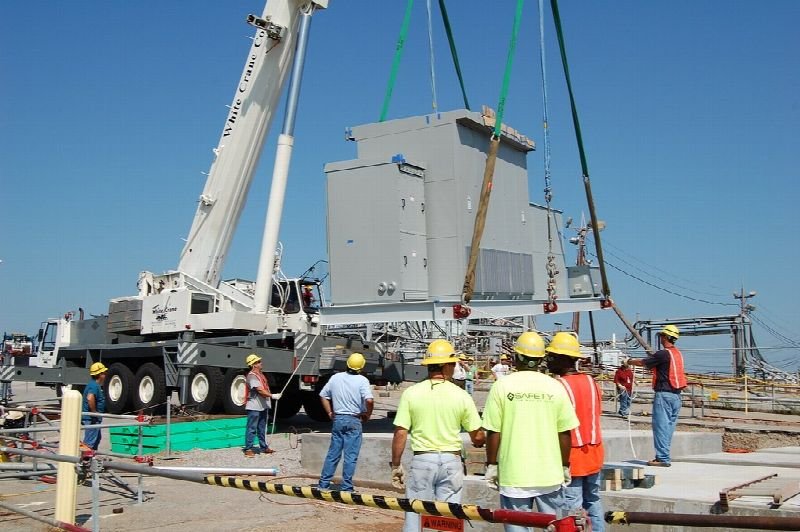
Construction crew in hard hats beside a crane lifting equipment
Photo: Savannah River Site, CC BY 2.0.

Where time leaks

Where the hours go in workers' compensation

Patterns we see in this industry. Your workflow will differ; discovery confirms which ones apply.

01

Injured workers often call after a claim denial, unsure of what was reported to their employer and when.

02

States set short deadlines for reporting injuries and filing claims, and intake must capture the dates precisely.

03

Wage records and medical records are needed to calculate benefits and come from several sources.

04

Clients on temporary disability call frequently about checks and appointments.

Common tools in workers' compensation:FilevineCASEpeerClioSmartAdvocateLead DocketLawPay

Named for compatibility only. No partnership or endorsement implied; we confirm API access for your plan during discovery.

Automation recipes

4 automations built for workers' compensation

Trigger → steps → outcome. Each one is a scoped, fixed-price build.

Discuss This Solution

Injured worker intake

#1

Trigger Call or form, any hour

  1. Asks injury date, employer, how it happened at work and when it was reported
  2. Asks whether a claim was filed or denied
  3. Books a consultation and flags close deadlines

Outcome Cases captured with the dates that matter

Typical stack: Voice agent, Lead Docket
Deadline tracker

#2

Trigger Case opened

  1. Calculates the deadlines your state rules set, as configured by your attorneys
  2. Adds them to the case calendar
  3. Alerts the paralegal ahead of each

Outcome No missed filing windows

Typical stack: Filevine or Clio calendars

Wage and medical records collection

#3

Trigger Retainer signed

  1. Requests pay stubs from the client
  2. Generates records requests to providers and employer
  3. Tracks responses

Outcome Benefit calculations ready sooner

Typical stack: Document requests, case management

Treatment and benefit check-ins

#4

Trigger Every two weeks during treatment

  1. Asks about appointments and whether benefit checks arrived
  2. Logs issues for the paralegal
  3. Reminds about upcoming IME or hearing dates

Outcome Problems caught early, fewer anxious calls

Typical stack: SMS, case management

Interactive

Build your automation

Pick what starts it and what should happen next. Your workflow assembles live below. This is a planning tool; we confirm what your tools support during discovery.

2. …do these steps (up to 6)

Your workflow

Planning preview
  1. Trigger

Add at least one step on the left.

Demo

Try a missed-call text-back

Tap "Start a missed call" and reply as the customer. Runs in your browser.

MessagesDEMO
No messages yet

Incoming call…

Nobody can answer right now

Missed-lead revenue estimate

Estimate

Move the sliders to match your business.

Est. recovered / month

Est. per year

missed → re-engaged → won per month

Estimate = leads × missed % × re-engaged % × close % × deal value, using only the numbers you entered. Not a guarantee; excludes software and build costs.

Plan my text-back automation
Demo

Watch the workflow run

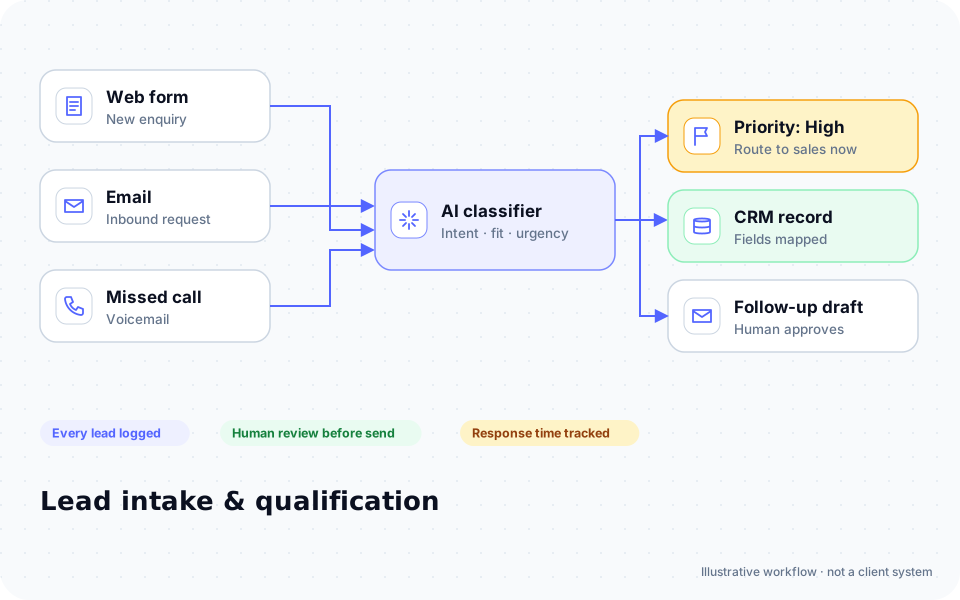
Step through "Injured worker intake" one stage at a time. Click any step.

Diagram: enquiries from a web form, email and missed calls are classified by AI, prioritized, logged in a CRM and given a follow-up draft for human approval

ROI estimate

A starting ROI estimate for workers' compensation

Preset for a small team. Change the numbers to match your business.

Quick estimate

Estimate

Capacity / month

Capacity / year

Calculate Potential Savings →

How we implement

Built around how work actually runs in workers' compensation

We build the intake with your attorneys, including the deadlines in each state you practice in, and test Spanish-language intake with bilingual staff.

Discovery call: We walk through your current process and tools (free, 30 minutes).

Workflow map & fixed quote: Written scope, software costs listed separately, compliance notes included.

Build in a test environment: Your accounts, test data first, then a supervised pilot.

Handover: Documentation, training and an optional support plan.

Limitations & compliance notes

  • Deadline rules are configured by your attorneys per state; the system does not interpret law.
  • Bar solicitation rules apply; the assistant responds only to people who contact you.

General information, not legal advice. Confirm requirements with your own counsel or compliance officer.

Want these automations running in your business?

Tell us your tools and the one task you'd remove first. We reply with a plan.

Part of Law firms

The broader playbook for the whole trade, including recipes that apply across specialties.

AI automation for Law firms →

Related industries

Services behind these automations

FAQ

Common questions

Yes, and we test it with your bilingual staff.

No. It collects wage records so your team can calculate them.

It flags possible third-party cases for an attorney to review.

Next step

Tell us how your workers' compensation work flows today

Two short steps. We reply by email, usually to set up a 30-minute discovery call.

What happens after you submit

  1. 1

    We read it personally

    A person reviews your note. No automated sales sequence.

  2. 2

    We reply by email

    Usually with 2–3 clarifying questions and times for a 30-minute call.

  3. 3

    You get a written plan

    Workflow map, fixed quote and listed software costs before any build. No obligation.

Prefer to talk? Call (214) 891-5650 or email info@fullstopsolutions.com.

Not ready to talk? Try the ROI calculator or readiness check. No email needed.

Request a consultation

Step 1 of 2

Your details

What do you want help with? *

About your project

We reply by email. No automated sales sequences.

Calculate Savings Get My Automation Plan