AI automation for US businesses
Stop Losing Time to Work AI Can Handle.
We map the workflows slowing your team down, then build AI automations that connect your CRM, inbox, documents and phones. Each one is scoped and priced before you commit.
- ✓ Fixed scope before build
- ✓ Built in accounts you own
- ✓ No popups, no sales sequence
Lead intake workflow
DemoSTEP 1 · ENQUIRY
Web form, email or missed call arrives
STEP 2 · CLASSIFY
AI tags intent, urgency and fit
STEP 3 · ROUTE
Owner assigned by rules you set
STEP 4 · CRM SYNC
Contact + deal created, no re-typing
STEP 5 · FOLLOW-UP
Reply drafted; a person approves
Click a step to explore.
60-second starter
What do you want to automate?
Three quick questions. We suggest where to start and fill in the consultation form for you. Suggestions are rule-based from your answers, not a quote.
The problem
Your team is the integration layer
In most growing businesses, people copy data between tools, chase follow-ups by memory and rebuild the same reports every week. That work is slow, error-prone and invisible until something slips.

Leads go cold
Enquiries wait in inboxes and voicemail while the team is busy. Slow replies lose deals you already paid to attract.
Copy-paste operations
The same details are re-typed into the CRM, invoices, spreadsheets and project tools, each time with new chances for errors.
Documents pile up
Intake forms, contracts, invoices and emails need reading, sorting and extracting before any real work can start.
When the leak is unanswered phones, book a free Missed-Call Audit or start with our AI receptionist guide for small businesses. If speed-to-lead texts are the next step, read TCPA text consent and missed-call text back compliance before you automate.
What we build
AI automation services
Start with one workflow. Extend once it is working.
Workflow automation & integrations
Connect CRM, forms, email, calendars, accounting and spreadsheets so data moves without manual entry.
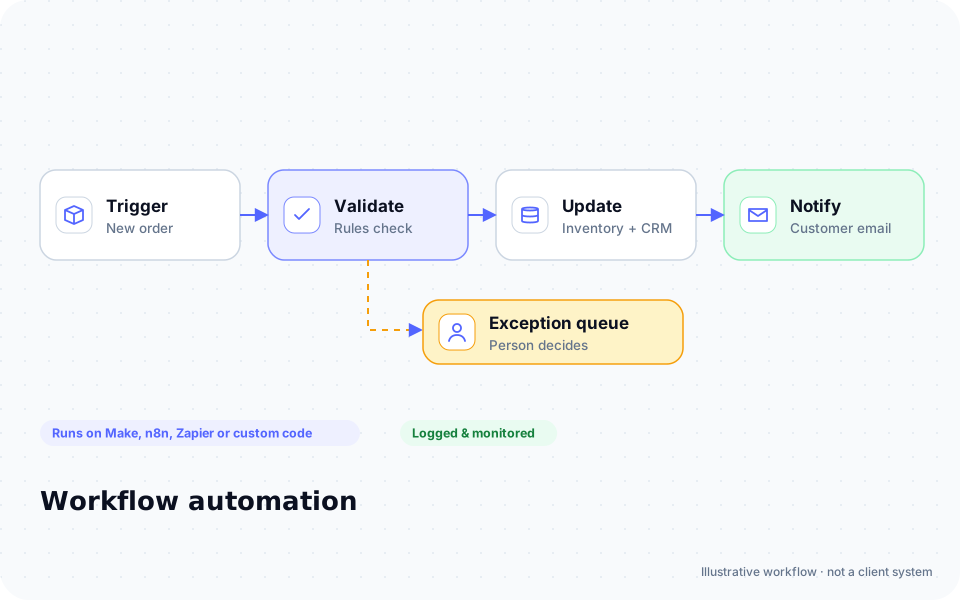
Lead intake & follow-up
Instant first responses, routing and follow-up reminders so no enquiry is forgotten.
AI phone & voice receptionist
Answer calls, capture details and book appointments after hours.
AI agents & assistants
Assistants that answer from your own documents and hand off to a person when needed.
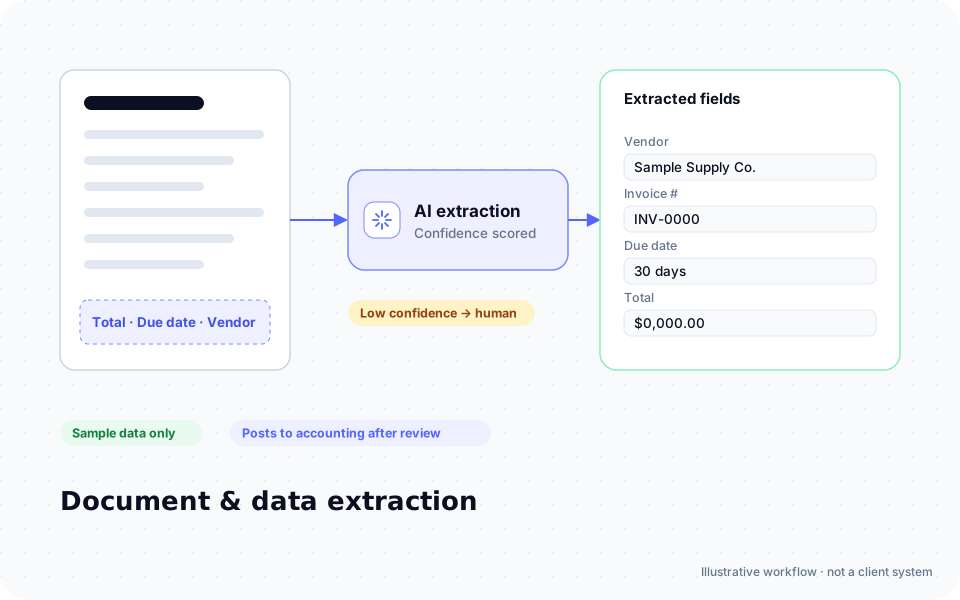
Document & data processing
Extract fields from PDFs, emails and forms, validate them and push them into your systems.
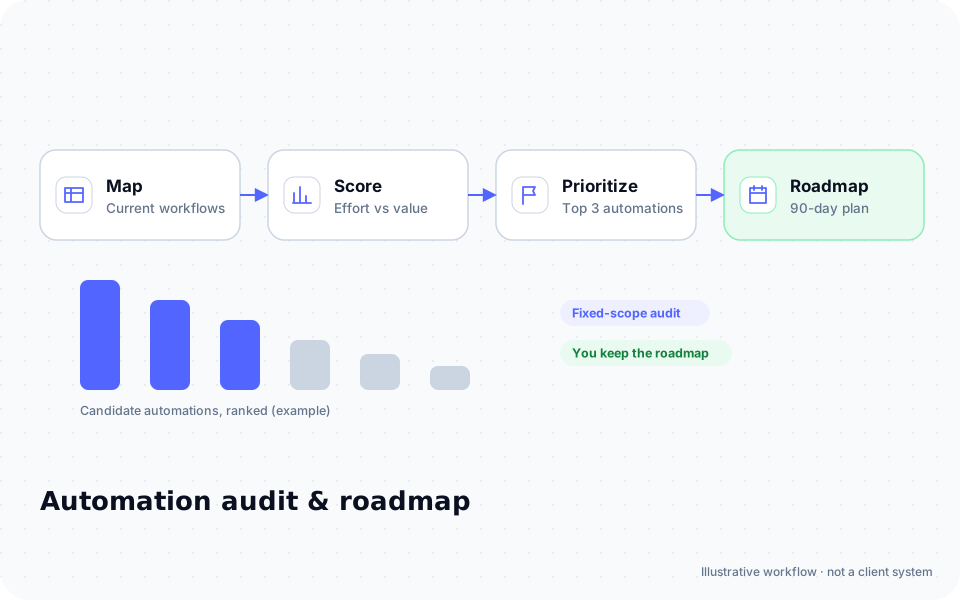
Automation audit & roadmap
A ranked list of what to automate first, with effort, risk and expected value for each.
Not sure which automation pays back first?
Put your own numbers into the free calculator. No email required.
Free Missed-Call Audit
15–20 minutes: estimate unanswered calls with your numbers and leave with an AI receptionist or text-back plan.
How it works
Map. Build. Hand over.
A short, fixed sequence, so you know what happens next and what it costs.
Discovery call: We learn how the work happens today and which tools you use.
Workflow map & scope: You get a written map, the automation plan, a fixed quote and a list of software costs.
Build & test: We build in your accounts, test with real-world examples and review it with your team.
Handover & support: Documentation, training and an optional support plan for monitoring and changes.
Hover or tap a step for details.

Hiring for a done-for-you build? See how we work as an AI automation agency.
Industries
Built around how your industry works
We focus on businesses where enquiries, scheduling and paperwork drive revenue.
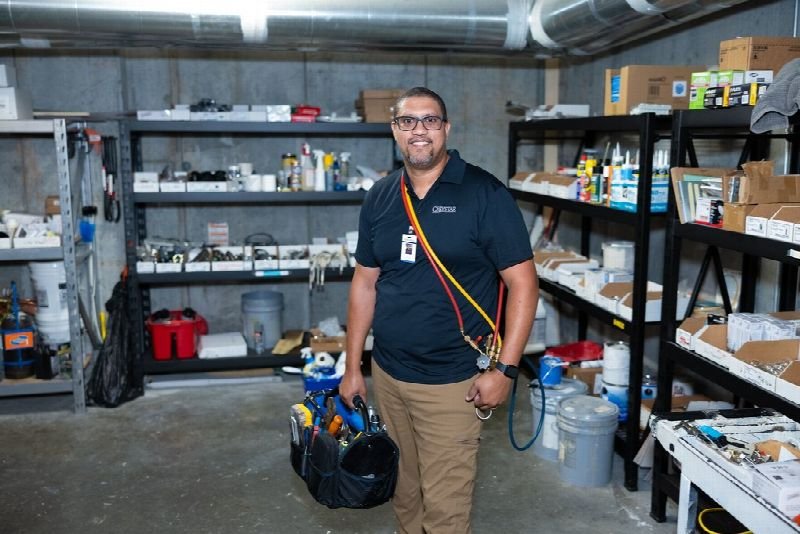


Law firms
Intake qualification, consultation booking and document preparation (no legal advice bots).
Explore →

Healthcare practices
Scheduling, reminders and intake paperwork, after a compliance review of every tool.
Page coming soon
Operators in pest control often combine phones with route renewals—see the pest control industry page and the deeper pest control automation guide.
Workflows
What an automation looks like, step by step
Common workflows we build, broken down step by step.
After-hours call capture
- 1Call missed or after hours
- 2Voice assistant collects name, need and urgency
- 3Text confirmation to caller
- 4Job created in scheduling tool
- 5Summary emailed to on-call staff
Invoice data extraction
- 1Invoice PDF arrives by email
- 2AI extracts vendor, amounts and dates
- 3Rules check totals and duplicates
- 4Draft bill created in accounting
- 5Exceptions sent for human review
Consultation intake
- 1Website enquiry received
- 2AI classifies matter type and urgency
- 3Conflict-check details collected
- 4Booking link sent automatically
- 5Intake summary added to case file
Choosing between software and a live operator? See AI receptionist vs answering service. Field operators with quarterly routes can also use our pest control recurring service automation playbook as a concrete stack example.
ROI estimate
What is manual work costing you?
Move the sliders to get a rough estimate based only on your own inputs. For scenarios, error costs and payback, use the full calculator. Calculate Potential Savings
Quick estimate
EstimatePer month
Per year
Labour time only, before software and implementation costs. Not a guarantee of savings.
Fullstop AI Experience Lab
Try five simulated automations in your browser: AI lead qualification, an appointment workflow, workflow automation, document processing and customer support.
Explore Live Automation →// input
"Hi, our AC stopped working and we have a newborn at home. Can someone come today?"
// classification
intent: emergency_repair
urgency: high
route_to: on_call_dispatcher
reply: draft_ready_for_review
See an automation run before you talk to anyone.
Five interactive demos, right in your browser.
Why Fullstop
How we work
Commitments you can hold us to, written into every scope.
Scope before spend
A written plan and fixed quote before build. No open-ended retainers to get started.
You own it
Automations live in accounts registered to your business. No lock-in.
Human in the loop
AI drafts, people approve wherever a mistake would be costly.
Plain-English docs
Every workflow is documented so your team can run it.
Works with
The tools you already use
Examples of platforms we can connect to through their public APIs. Listed for compatibility only; Fullstop Solutions is not a partner of, or endorsed by, these companies.
- HubSpot
- Salesforce
- Pipedrive
- Google Workspace
- Microsoft 365
- Slack
- QuickBooks
- Xero
- Stripe
- Shopify
- Calendly
- Twilio
- Jobber
- Housecall Pro
- ServiceTitan
- Clio
- Follow Up Boss
- Airtable
- Notion
- n8n
- Make
- Zapier
- OpenAI API
- Anthropic API
Results
Case studies are being written
We only publish results that clients have approved and that we can verify. Until then, we're happy to walk you through how a comparable workflow would be built.
Request a walkthroughEngagement
Three ways to work together
Pricing is quoted per project after discovery. Software and AI usage costs are always listed separately.
Automation audit
Find what to automate first
- ✓Workflow interviews
- ✓Ranked opportunity list
- ✓Effort and risk per item
- ✓Recommended first build
Quoted after discovery
Talk to usMost common start
Build & handover
One scoped workflow, delivered
- ✓Fixed scope and quote
- ✓Built in your accounts
- ✓Testing with your team
- ✓Documentation & training
Quoted after discovery
Talk to usOngoing support
Keep automations healthy
- ✓Monitoring & fixes
- ✓Small changes each month
- ✓Usage and cost reviews
- ✓New workflow planning
Quoted after discovery
Talk to usFAQ
Straight answers
Get started
Find Out What Your Business Could Automate Next.
Two short steps. We reply by email with next steps, usually a 30-minute discovery call.
Book an Automation Strategy CallWhat happens after you submit
- 1
We read it personally
A person reviews your note. No automated sales sequence.
- 2
We reply by email
Usually with 2–3 clarifying questions and times for a 30-minute call.
- 3
You get a written plan
Workflow map, fixed quote and listed software costs before any build. No obligation.
Prefer to talk? Call (214) 891-5650 or email info@fullstopsolutions.com.
- ✓ No obligation, no automated sales sequence
- ✓ A written scope before any build
- ✓ Your details are used only to respond to you