Short answer: pest control companies should automate the recurring-plan cycle: schedule plan visits into routes by area and due date, send pre-visit prep notices, deliver service reports with what was applied and where, handle callbacks quickly, and run renewals with a personal follow-up for customers at risk. Termite, mosquito and commercial work each add their own steps.
Why recurring plans need automation
A pest control business with hundreds of plan customers on quarterly, bi-monthly or monthly schedules has a constant scheduling and communication load. When a visit slips or a customer does not know when the technician is coming, the plan feels less valuable and cancellations follow. Automation keeps the cycle moving without adding office staff.
1. Route scheduling
Each plan has a frequency and a due window. An automation in your field service software groups customers who are due by area, proposes routes for each technician, and holds them for the dispatcher to review. Once approved, customers receive their date and window with a reschedule link. Rescheduled customers are slotted into nearby routes.
2. Pre-visit prep notices
A day or two before the visit, customers receive a notice with:
- the window and technician name,
- access instructions (gates, codes, pets in the yard),
- any prep needed for the service type,
- guidance on keeping people and pets away from treated areas, according to the product label and your company policy.
Labels are the legal instructions for pesticide use; the EPA's pesticide labels page explains why label directions must be followed. Base customer guidance on the labels of the products you use, not on generic wording.
3. Service reports
After the visit, the technician's notes and product records generate a report emailed or texted as a link: what was observed, what was treated, products used with EPA registration numbers, and recommendations, such as sealing an entry point. Photos make reports more useful. States set their own record-keeping rules for applications, so map report fields to what your state requires.
Clear reports help customers see the value of a plan between visible pest problems.
4. Callbacks
When a customer reports activity between visits, through a call, text or web form, the request is logged against their plan, prioritized by pest type and urgency, and scheduled. The customer is told when to expect the technician. Tracking callbacks by area and service type also reveals where treatments need adjusting.
5. Renewals and retention
For annual plans, renewal reminders go out ahead of expiry, with auto-renew where the customer agreed to it and clear terms. Customers who cancel or do not renew get a short question about why and a call task for staff. Signals such as several callbacks in a row can flag customers at risk before renewal time.
Service-line differences
Termite control: inspections, treatment agreements and annual renewals with re-inspection scheduling; real estate transaction inspections need quick report delivery to agents. See termite control automation.
Mosquito control: seasonal programs with frequent visits; weather-related rescheduling and season start and end messages matter. See mosquito control automation.
Rodent control: exclusion work with follow-up visits to check traps and seal points; reports with photos are especially useful.
Commercial pest control: service logs that customers may need for audits and inspections, site-specific schedules and documentation delivered to facility managers.
Customer safety information
Customers often ask about safety for children and pets. The EPA's citizen's guide to pest control and pesticide safety is a useful reference to link in your notices and FAQ. Specific guidance should come from your product labels and licensed technicians, not from an automated assistant improvising.
Measuring results
Track plan visits completed on time, callback rate, reschedules per visit, renewal rate and cancellations by reason. Your field service software holds the baseline.
Mistakes to avoid
Notices without a reschedule option. Customers who cannot make the window should be able to change it easily.
Generic safety text. Base it on the labels of the products used.
Reports nobody reads. Keep them short and visual.
Renewals with no human follow-up. A call often saves a plan.
Questions to settle before you build
Which field service software do you use, and does it support route optimization? What are your plan types and frequencies? What does your state require in application records? Who handles callbacks and how fast? Which customers get a call before renewal? These choices shape the automation around your operation.
A quarter in the life of a plan customer
In the first week of the quarter, the system lists plan customers due for service in each area. The dispatcher reviews proposed routes for Tuesday and Thursday, moves two stops between technicians, and approves. Each customer gets a text with the date, a four-hour window and a reschedule link. One customer reschedules to the following week; the system offers slots on days when a technician is already nearby.
The day before the visit, a prep notice explains that the technician will treat the exterior perimeter and the garage, asks the customer to unlock the side gate and keep the dog inside during treatment and until the product has dried, according to the label of the product the company uses.
After the service, the customer receives a short report with photos of a gap under the garage door the technician recommends sealing, the products applied with EPA registration numbers, and where they were applied. Three weeks later, the customer texts that they have seen ants in the kitchen. The callback is logged against their plan and scheduled for the next route day in their area.
At renewal, the system notes one callback that quarter and the customer's renewal date. A reminder goes out with the plan terms, and because of the callback, a staff member also calls to check in.
Calculating plan value in your own numbers
Multiply your active plan count by the average annual plan value to see recurring revenue at risk. Then multiply the number of plans cancelled last year by the same average value. That is the yearly value lost to cancellations, and the target for better scheduling, reports and renewals.
Where to start
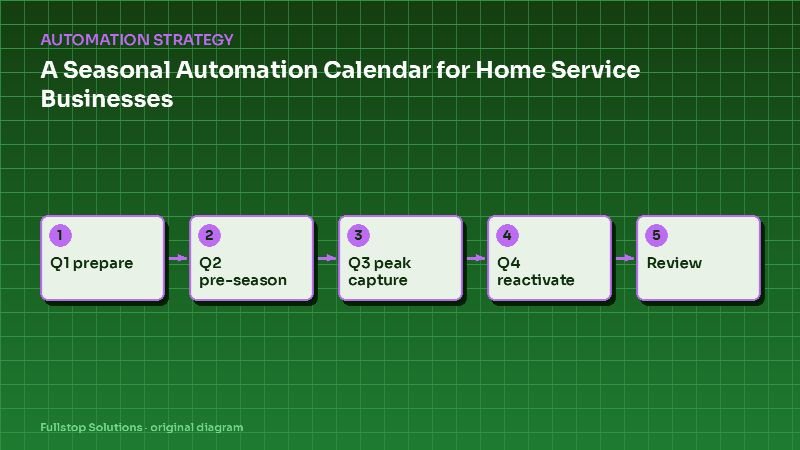
Check how many plan visits were late last quarter and how many customers cancelled after a callback. Our pest control automation page and workflow automation service cover the full plan cycle, and the seasonal automation calendar shows how pest work fits through the year.