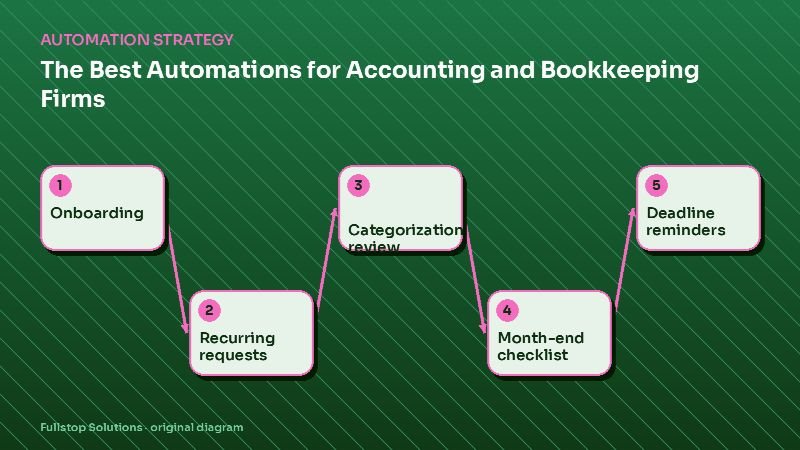
Short answer: accounting, tax and bookkeeping firms gain the most from automating client onboarding with engagement letters, recurring monthly document requests, transaction categorization review queues, month-end close checklists, filing deadline reminders, and billing. The result is less chasing and more time for review and advisory work, with security controls the FTC and IRS expect.
Where the hours go
Ask staff at most small firms where their week goes and "waiting for clients" comes up quickly: missing bank statements, receipts, payroll reports and signed forms. Add deadline tracking across dozens or hundreds of clients, and a large share of the week is coordination rather than accounting. That coordination is what automation handles well.
1. Onboarding and engagement letters
New clients receive a welcome sequence: an engagement letter generated from the service package and sent for e-signature, a secure portal invitation, a document checklist tailored to their services, and a kickoff call booking. The client record, folders and recurring tasks are created in your practice management system automatically.
2. Recurring document requests
For bookkeeping and monthly clients, requests go out on schedule: bank and card statements not covered by feeds, receipts for flagged transactions, payroll reports, sales tax data. Each client sees a short checklist; reminders follow for missing items; staff see a dashboard of who is outstanding. See invoice processing automation for bookkeepers.
3. Categorization review queues
Bank feeds and rules in QuickBooks or Xero categorize most transactions. Automation can route the rest into a review queue: new vendors, unusual amounts, uncategorized items and possible duplicates. When a question is for the client, it is sent as a batch with an easy way to answer, rather than as scattered emails.
4. Month-end close checklists
Each client's close follows a checklist: reconciliations, accruals, payroll entries, review, reports. Automation creates the checklist each month, assigns tasks, tracks completion and sends the reports to the client when the reviewer approves.
5. Deadline reminders
Filing and payment deadlines, both for the firm and for clients, trigger reminders well ahead, with the documents needed. During tax season, document collection runs as its own workflow. See tax season document collection.
6. Billing
Recurring invoices go out on schedule with payment links; overdue invoices get reminders. For fixed-fee packages, scope creep alerts can flag clients whose activity exceeds the package.
Security requirements
Accounting and tax firms hold sensitive financial data. The FTC's Safeguards Rule guide explains the written information security program many such firms need, including multi-factor authentication and encryption, and lists tax preparation firms among covered businesses. The IRS publishes Publication 4557 with practical safeguards for tax professionals. In practice:
- send documents through secure portals, not email attachments,
- require MFA on every tool in the workflow,
- limit automation accounts to the access they need,
- keep logs of who accessed what.
Firm-type differences
- CPA firms: engagement letters, review workflows and advisory meeting prep. See CPA firm automation.
- Bookkeeping services: recurring requests and month-end close dominate. See bookkeeping automation.
- Tax preparation: seasonal intake surges, organizers and e-file authorizations.
Sequencing
- Month 1: recurring document requests.
- Month 2: onboarding and engagement letters.
- Month 3: month-end checklists, review queues and billing.
What to measure
Days to receive monthly documents, staff hours spent chasing, close completion date, onboarding time, and days sales outstanding.
Questions to settle before you build
Which practice management and accounting tools do you use? Which services and packages do you offer, and what documents does each need? Who reviews categorization questions? What security controls are already in place? How will clients prefer to receive requests? With these settled, automation follows your firm's way of working.
A month-end cycle with automation
On the first business day of the month, each bookkeeping client receives a short request listing exactly what is missing: for example, the statement for a card account without a bank feed and receipts for six uncategorized transactions. The client uploads through the portal from their phone.
By day three, a dashboard shows who has responded. Clients still outstanding receive a reminder; those still missing items on day six get a call from their bookkeeper.
As statements arrive, reconciliation tasks open automatically. Transactions the rules could not categorize sit in a review queue; questions for the client go out as one batch rather than a string of separate emails.
When the bookkeeper marks the close complete, the reviewer gets a task. Once approved, the monthly reports are generated and sent to the client with a short summary the bookkeeper writes, and the next month's checklist is created.
The steps are the same as before; what changes is that nobody has to remember to start them.
Working out your own time savings
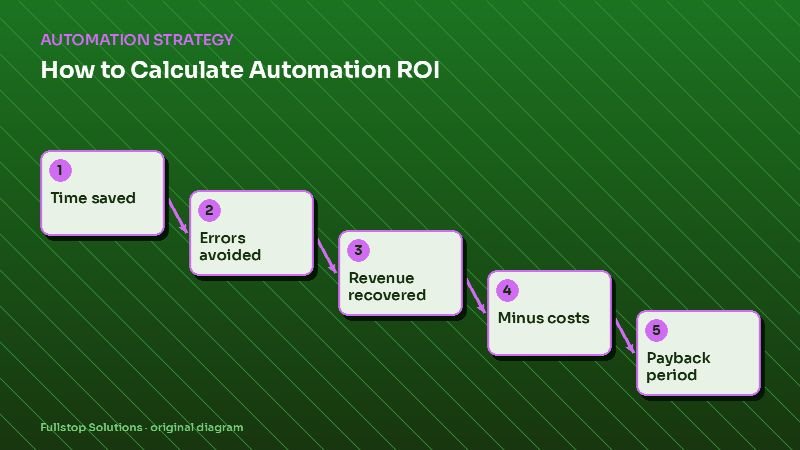
Count the clients who were late with documents last month, estimate the minutes staff spent chasing each one, and multiply by your loaded hourly cost. That is the monthly cost of chasing in your firm. Do the same for the time spent building checklists and sending reports by hand. The ROI calculator can turn these into a payback estimate.
Keeping the human side of client service
Automation handles the requests and reminders, but clients still value hearing from a person. Pair each automated cycle with one human touch: a short personal note with the monthly reports, a call when something unusual shows up in the books, or a quarterly check-in on plans. The time saved on chasing is what makes these possible, and they are what clients remember.
Where to start
List the clients who were late with documents last month and estimate the hours spent chasing them. Our accounting firm automation page and document processing service cover the workflows.