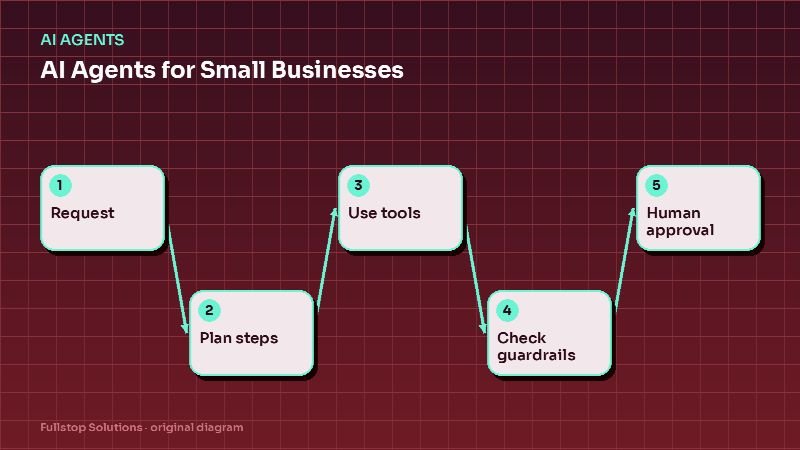
Short answer: for most online stores, a large share of support tickets are about order status, shipping, returns and simple product questions. An AI assistant connected to your order and tracking data can answer those instantly and accurately after verifying the customer, draft replies for agents on trickier tickets, and route refunds above a limit, damage claims and complaints to people. Your team spends its time on the conversations that build loyalty.
The support load in e-commerce
Support volume grows with orders, and spikes around launches, holidays and carrier delays. Many tickets are repetitive:
- Where is my order?
- Can I change my address or add an item?
- How do I return or exchange this?
- Which size should I get?
- Is this back in stock?
- My discount code didn't work.
Answering these by hand is slow and expensive, and slow answers to "where is my order?" create more tickets.
What the assistant handles
Order status
After verifying the customer (order number plus email, or a logged-in session), the assistant reads the order and tracking data and answers in plain language: shipped, in transit with the carrier's latest scan, out for delivery, delivered, or delayed with the carrier's reason. If an order is late beyond your threshold, it apologizes and escalates or offers what your policy allows.
Shipping timing is also a legal matter. The FTC's Mail, Internet, or Telephone Order Merchandise Rule requires sellers to have a reasonable basis for shipping claims and to notify customers and offer options when they cannot ship on time. Automated delay notices help you do this consistently.
Order changes
Address changes, item additions or cancellations before fulfillment can be handled automatically if your fulfillment status allows, or drafted for an agent if the order is already being packed.
Returns and exchanges
The assistant checks the order against your policy, explains options, and starts the return through your returns portal. See Shopify order operations automation.
Product questions
Sizing, materials, care instructions, compatibility, all from your product data and approved FAQs. If the answer is not in the data, it says so and offers to have someone follow up.
Discount and checkout issues
Common code problems (expired, minimum not met, excluded items) can be explained from your promotion rules.
What goes to a person
- Refunds or credits above your set limit.
- Damaged, defective or wrong items, especially with photos.
- Chargebacks and fraud concerns.
- Angry customers and complaints.
- Wholesale and partnership inquiries.
- Anything outside policy.
The handoff includes the customer, the order, what was already said, and a suggested next step.
Draft mode for agents
For tickets that need a person, the assistant can still help: it drafts a reply using the order data and your policies for the agent to edit and send. This speeds up agents without removing their judgment.
Subscriptions
For subscription brands, common requests are skip, swap, pause, change frequency and cancel. Many of these can be self-service through the assistant if your subscription app supports it. Cancellation requests deserve a respectful, easy path, with an optional offer to pause instead. See subscription box automation.
Tone and brand voice
The assistant should sound like your brand: friendly, concise and honest. Give it examples of good replies from your best agents, and a list of words and phrases to avoid. Never let it promise delivery dates the carrier has not given.
Measuring the impact
Track monthly:
- tickets resolved without an agent,
- first response time,
- resolution time,
- customer satisfaction scores, if you collect them,
- escalation reasons (your list of what to improve).
Mistakes to avoid
No verification. Never share order details without confirming the customer.
Hiding the human option. Customers should always be able to reach a person.
Letting AI improvise policy. Exceptions belong to people.
Ignoring carrier delays. Proactive delay messages prevent ticket spikes.
Questions to settle before you build
How will customers be verified before order details are shared? What refund or credit amount can the assistant approve on its own, if any? Which ticket types always go to a person? Which helpdesk will hold the conversations, and who reviews escalations each day? What delay threshold triggers a proactive message, and what does it offer? Answering these first means the assistant reflects your policies rather than inventing them.
A busy Monday after a holiday weekend
Overnight, the store receives a pile of messages. The assistant sorts them as they arrive. A customer asking where their order is gets verified by order number and email, and the assistant reports that the package left the warehouse on Saturday with the carrier's latest scan. Another wants to change a shipping address; the order has not been packed yet, so the change is made and confirmed. A third says a mug arrived broken and attaches a photo. That one goes straight to the support queue, tagged "damage", with the order details and photo attached and a drafted reply apologizing and listing the options your policy allows.
When agents log in at 9 a.m., most of the simple tickets are already closed. They work the queue of damages, refunds above the limit and one unhappy repeat customer who asked for a manager. Each ticket has the history and a suggested reply.
Writing the policies the assistant follows
The assistant can only be as consistent as your written policies. Before launch, write down:
- the return window and conditions, item by item where they differ,
- who pays return shipping, and when,
- the refund or credit amount the assistant may approve without a person,
- what counts as a late order, and what you offer when one is late,
- how damaged or wrong items are handled, including whether photos are required.
Short, specific rules beat long policy pages. If agents currently make exceptions often, decide which exceptions become rules and which stay with people.
Where to start
Start with order status and returns, which cover the most tickets with the clearest data. Add product questions and draft mode next. Our e-commerce automation page and customer service solutions describe the full set of workflows, and the AI agents guide covers guardrails.