Short answer: check first whether software you already pay for can do it; if it can, use it. If the need is connecting tools with moderate logic, a no-code workflow tool is usually the fastest route. Choose a custom build when volumes, logic, data control or user experience go beyond what the other options handle well. Decide on total cost over three years, ownership and who will maintain it, not on the setup fee alone.
The three options
1. Built-in features. Your CRM, field service platform, practice management system or e-commerce platform may already include reminders, sequences, forms or simple workflows. Often underused.
2. No-code workflow tools. Platforms such as Zapier, Make and n8n connect apps through triggers and actions. See Zapier vs Make vs n8n.
3. Custom builds. Code written for your workflow: integrations, a portal, an internal app, an AI assistant with your own logic, hosted on infrastructure you control or a vendor manages.
Start with what you already have
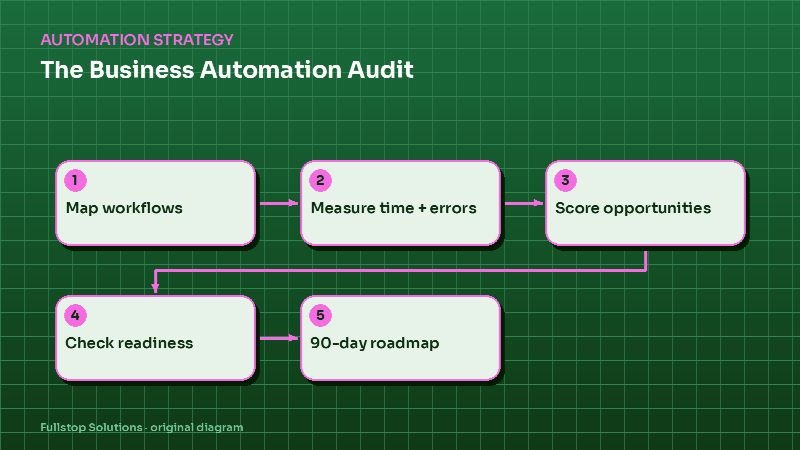
Before buying anything, audit features in your current tools. Many businesses discover that their CRM already supports automated follow-up, or their scheduling tool already sends reminders, but nobody switched them on. This is the cheapest automation there is. An automation audit covers this step.
Decision criteria
| Criterion | Built-in | No-code | Custom |
|---|---|---|---|
| Time to launch | Fastest | Fast | Slower |
| Upfront cost | Lowest | Low | Higher |
| Running cost | Included or plan upgrade | Grows with tasks or operations | Hosting and maintenance |
| Flexibility | Limited to vendor | Moderate to high | Highest |
| Data control | Vendor | Vendor plus platform | Yours, if contracted |
| Maintenance | Vendor | Your team or partner | Developer or partner |
| Switching risk | Tied to vendor | Tied to platform | Tied to code quality and documentation |
When built-in wins
- the feature exists and covers most of the need,
- your team already uses the tool daily,
- volumes fit your current plan.
Accept small compromises in exchange for zero integration risk.
When no-code wins
- the workflow connects two or more tools with existing integrations,
- the logic is a sequence of steps with some conditions,
- volumes fit within reasonable plan tiers,
- someone can own and maintain the workflows.
Watch for: per-task pricing that grows with volume, sprawling workflows nobody understands, and personal accounts holding business-critical automations.
When custom wins
- the logic is complex or specific to your business,
- volumes would make no-code plans expensive,
- you need a customer-facing interface such as a portal or app,
- data must stay in systems you control,
- the integration you need does not exist off the shelf.
Watch for: undocumented code, a single developer who holds all the knowledge, and no plan for maintenance. See our web and mobile app development service for custom builds.
Total cost over three years
Compare options on a three-year view, using your own quotes and plan prices:
- Setup: fees and internal time.
- Subscriptions: each plan tier you will actually need at your volume.
- Usage: tasks, operations, messages, AI calls.
- Maintenance: hours per month for changes and fixes, times the hourly rate.
- Switching: what it would cost to move away later.
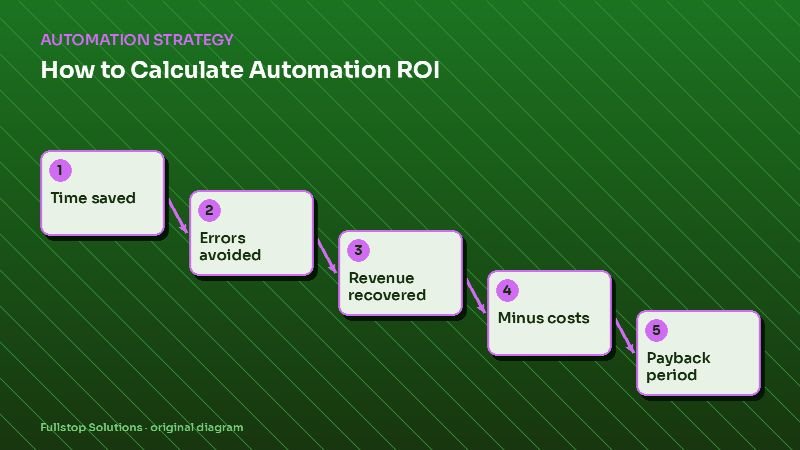
A cheap setup with steep usage pricing can cost more than a custom build by year three; an expensive custom build for a simple need rarely pays back. The ROI calculator helps with the benefit side.
Ownership checklist
Whatever you choose:
- automation accounts are owned by the business, not an individual,
- credentials are stored in a password manager the business controls,
- contracts give you ownership of custom code and data,
- each workflow is documented: trigger, steps, owner, failure alerts,
- there is a named person who gets alerted when something breaks.
Mixed approaches
The most common healthy setup: built-in features for reminders and simple sequences, a no-code platform for integrations between tools, and custom code for one or two pieces that need it, such as a customer portal or an AI assistant tied to your data.
Questions to settle before you decide
What exactly must the automation do, and what volume will it handle in a year? Which tools are involved, and what integrations do they offer? Who will maintain it? How sensitive is the data? What would it cost to switch later? Answering these makes the build-versus-buy decision mostly obvious.
Worked example: appointment reminders three ways
Suppose a clinic wants automated text reminders with confirm and reschedule options.
Built-in: the scheduling system already includes reminders on the current plan. Setup is an afternoon of configuring templates and timing. Limitations: fixed wording options and no custom follow-up for unconfirmed appointments.
No-code: a workflow platform reads appointments from the scheduler, sends texts through an SMS provider and writes confirmations back. Setup takes a few days. The running cost is the platform plan plus per-message charges. Flexible wording and an unconfirmed-appointment call list become possible.
Custom: a small service syncs appointments, sends messages, handles replies with the clinic's own rules and shows a dashboard. Setup takes weeks and costs more upfront; running costs are hosting, messages and maintenance.
For most clinics, built-in wins if it covers the need; no-code wins if the call list and custom logic matter; custom only makes sense if volumes are high or reminders are part of a larger patient-communication system.
A three-year cost worksheet
For each option, fill in: setup fee, internal setup hours × hourly cost, monthly subscription × 36, monthly usage × 36, maintenance hours per month × hourly rate × 36, and an estimated switching cost. Add them up. Use real quotes and plan prices; the comparison only means something with your numbers.
Where to start
Write the need in one paragraph, list the tools involved and check their built-in features and integrations. If the answer is still unclear, our workflow automation service and automation audit compare the options for your case.