Skip to content
Fullstop Solutions

Pest control · Commercial pest control

AI automation for commercial pest control companies

Produce audit-ready service records for food plants and restaurants, keep device maps and trap counts current, and close corrective actions on time.

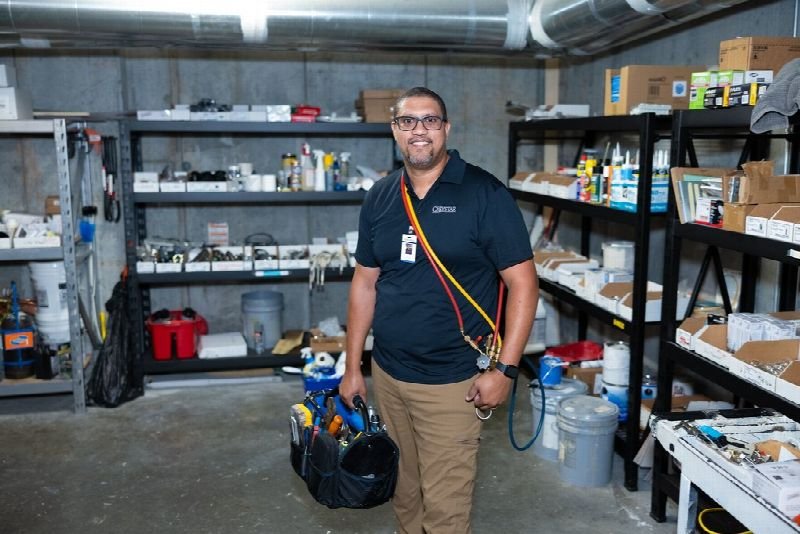
Maintenance technician carrying a tool bag in a supply room

Where time leaks

Where the hours go in commercial pest control

Patterns we see in this industry. Your workflow will differ; discovery confirms which ones apply.

01

Food facilities face third-party audits that require detailed pest control records.

02

Trap and device counts must be logged and trended.

03

Corrective actions need follow-up.

04

Recurring service schedules are complex.

Common tools in commercial pest control:PestPacFieldRoutesServSuiteGorillaDeskQuickBooksTeams

Named for compatibility only. No partnership or endorsement implied; we confirm API access for your plan during discovery.

Automation recipes

4 automations built for commercial pest control

Trigger → steps → outcome. Each one is a scoped, fixed-price build.

Discuss This Solution

Audit-ready service record

#1

Trigger Technician completes a commercial service

  1. Compiles devices checked, activity found, materials applied and recommendations
  2. Formats it the way the client's auditor expects
  3. Files it to the client's logbook folder

Outcome Records ready before the auditor asks

Typical stack: PestPac or ServSuite, document storage
Device trend alert

#2

Trigger Trap or monitor activity rises on consecutive services

  1. Flags the device and zone on the site map
  2. Notifies the technician and the client's QA contact
  3. Suggests an added service visit for approval

Outcome Activity spikes caught early

Typical stack: Device data, email

Corrective action tracker

#3

Trigger Technician records a sanitation or structural finding

  1. Creates a task assigned to the client, such as a door sweep or a cleaning
  2. Follows up before the next service
  3. Records closure in the service file

Outcome Findings get closed, with proof

Typical stack: Task list, email

Recurring service scheduler

#4

Trigger Weekly or monthly service due

  1. Books visits at times your client allows, such as after production shifts
  2. Confirms access and escort needs
  3. Alerts the office if a visit is missed

Outcome No missed contractual visits

Typical stack: FieldRoutes or PestPac

Interactive

Build your automation

Pick what starts it and what should happen next. Your workflow assembles live below. This is a planning tool; we confirm what your tools support during discovery.

2. …do these steps (up to 6)

Your workflow

Planning preview
  1. Trigger

Add at least one step on the left.

Demo

Try a missed-call text-back

Tap "Start a missed call" and reply as the customer. Runs in your browser.

MessagesDEMO
No messages yet

Incoming call…

Nobody can answer right now

Missed-lead revenue estimate

Estimate

Move the sliders to match your business.

Est. recovered / month

Est. per year

missed → re-engaged → won per month

Estimate = leads × missed % × re-engaged % × close % × deal value, using only the numbers you entered. Not a guarantee; excludes software and build costs.

Plan my text-back automation
Demo

Watch the workflow run

Step through "Audit-ready service record" one stage at a time. Click any step.

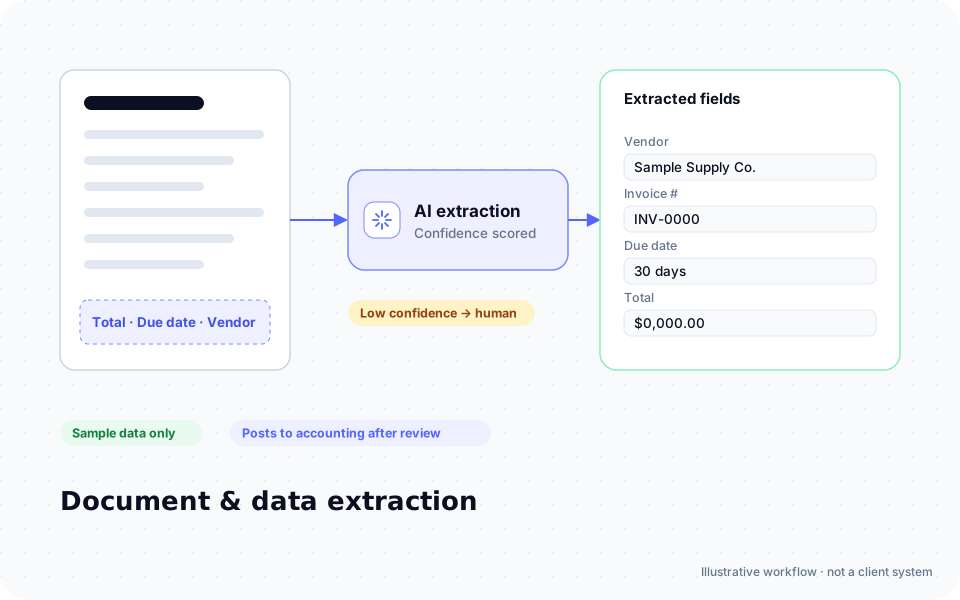
Diagram: an invoice is read by AI and vendor, invoice number, due date and total are extracted into fields, with low-confidence results sent to a person

ROI estimate

A starting ROI estimate for commercial pest control

Preset for a small team. Change the numbers to match your business.

Quick estimate

Estimate

Capacity / month

Capacity / year

Calculate Potential Savings →

How we implement

Built around how work actually runs in commercial pest control

We start with the audit standards your food and healthcare clients follow and the service report your technicians already complete, then format records to match.

Discovery call: We walk through your current process and tools (free, 30 minutes).

Workflow map & fixed quote: Written scope, software costs listed separately, compliance notes included.

Build in a test environment: Your accounts, test data first, then a supervised pilot.

Handover: Documentation, training and an optional support plan.

Limitations & compliance notes

  • Pesticide applications follow label and state rules.
  • Audit standards differ; your QA team confirms.

General information, not legal advice. Confirm requirements with your own counsel or compliance officer.

Want these automations running in your business?

Tell us your tools and the one task you'd remove first. We reply with a plan.

FAQ

Common questions

The ones your clients use, configured from their requirements, for example records requested under GFSI-benchmarked schemes or AIB inspections.

We confirm integration options for your account; many workflows use service exports.

Yes. Reports can be filed to a client portal or emailed after each service.

Next step

Tell us how your commercial pest control work flows today

Two short steps. We reply by email, usually to set up a 30-minute discovery call.

What happens after you submit

  1. 1

    We read it personally

    A person reviews your note. No automated sales sequence.

  2. 2

    We reply by email

    Usually with 2–3 clarifying questions and times for a 30-minute call.

  3. 3

    You get a written plan

    Workflow map, fixed quote and listed software costs before any build. No obligation.

Prefer to talk? Call (214) 891-5650 or email info@fullstopsolutions.com.

Not ready to talk? Try the ROI calculator or readiness check. No email needed.

Request a consultation

Step 1 of 2

Your details

What do you want help with? *

About your project

We reply by email. No automated sales sequences.

Calculate Savings Get My Automation Plan